Showing posts with label XDA Developers. Show all posts

Wednesday, June 12, 2019

Google’s Project Soli Chip Could Debut In Google Pixel 4


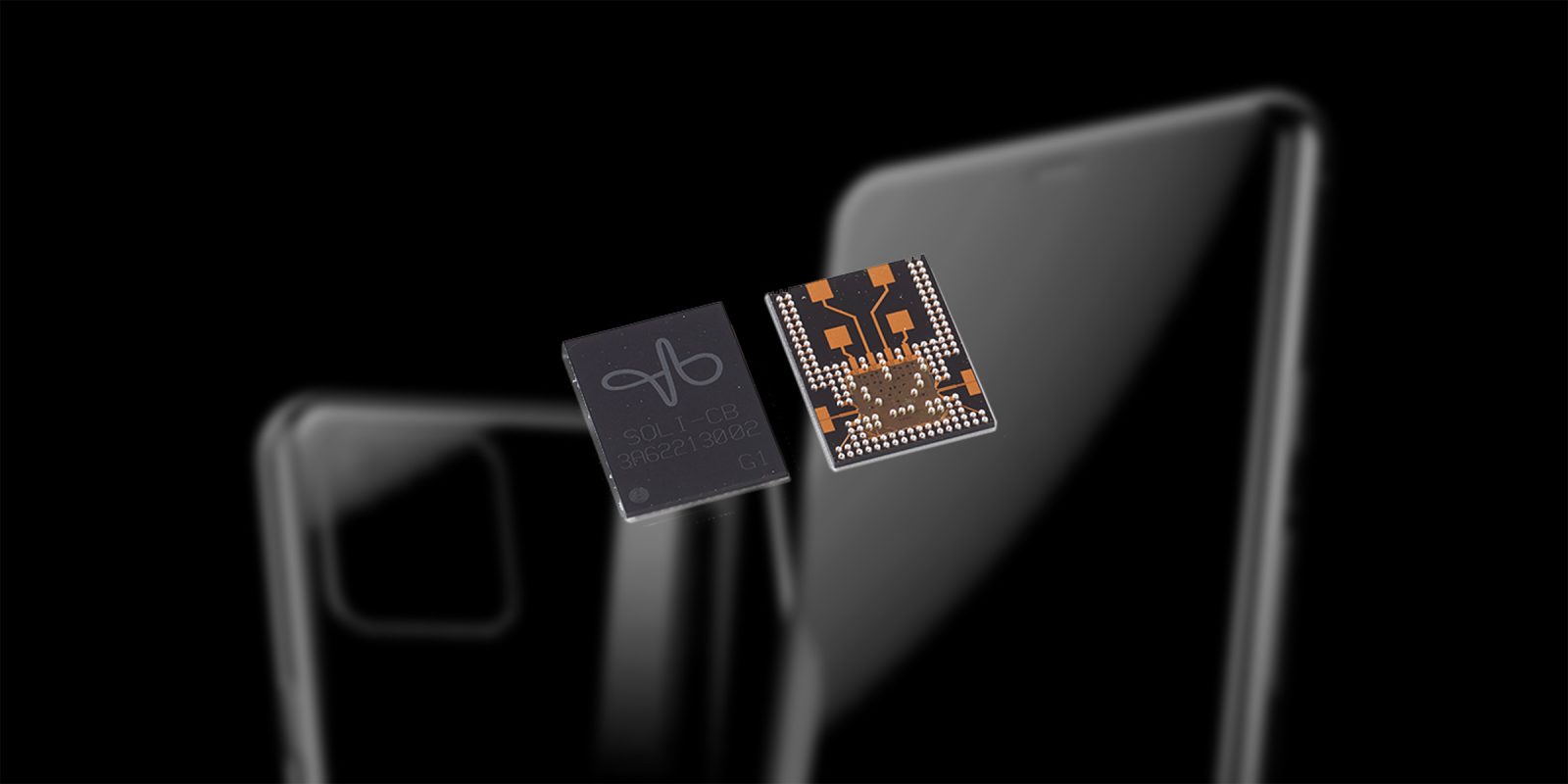
Project Soli is a Google ATAP endeavor based on radar hardware most notably for device control via subtle hand movements. Whether you’re using a watch, phone, or tablet this miniature radar sensor can differentiate between very fine motions to perform various platform specific functions.

Google showed off Project Soli working on both a smartwatch and a smart speaker at Google I/O 2016. The demo showed the chip embedded in a Wear OS smartwatch for interface control and the smart speaker integration made it possible to simply wave at the speaker to tell it to stop playing.


Google is rumored to be launching a new generation of the Google Home this year, as well as a smartwatch and gesture based control via Soli. Some details from XDA corroborate that the Google Pixel 4 will have a Soli chip, and suggest that the feature will be called “Aware” for users.


Source: XDA Developers

Thursday, February 21, 2019

Samsung Galaxy S10 Wallpapers, Available for Download

Image result for samsung galaxy s10

The Samsung Galaxy S10 wallpapers are now available for download, thanks to the good folks at XDA. There appears to be six wallpapers in total all the same except for the colors used.

As everyone has noticed, each wallpaper is dark in the top right corner. This isn’t a mistake, it’s to hide the punch holes for the front facing cameras. Feel free to download by following the link below.


Source: Download link

Sunday, July 29, 2018

Google Pixel 3 XL Leaked In Clearly White


The photos come courtesy of XDA Forums member dr.guru who claims that the prototype doesn't boot because it's been remotely wiped by Google. The leaked photo's of the fastboot screen shows that there's "no valid slot to boot." you can also see the phone's nickname is crosshatch, and that it has 4GB of RAM and 64GB of storage.


The logo on the back is used by Google for engineering units with the barcodes and identifying stickers. The back of the phone is rumored to be all glass with top part glossy and bottom part matte, a single part of glass. The notch looks to house the dual front facing cameras. 


Source: XDA Developers


Thursday, July 26, 2018

Fortnite For Android, Exclusive To Samsung Galaxy Note 9

Image result for fortnite

Sources familiar with the developer Epic Games plans claim Fortnite for Android will launched at the same time as the Samsung Galaxy Note 9. 

Samsung and Epic Games have partnered for the release of Fortnite for Android, meaning the game will be exclusively available on the Samsung Galaxy Note 9. The limited time exclusivity will expire after 30 days.

XDA Developers stated " Our source now informs us that Fortnite Mobile on the Samsung Galaxy Note 9 will work with Samsung DeX. Furthermore, Samsung’s DeX is getting revamped and will no longer require a dedicated DeX Pad or DeX Station to run."


Source: XDA Developers

Saturday, February 23, 2013

Access Your Favorite Apps Quickly With Sidebar


XDA Senior Member Mohammad_Adib, the same developer who gave us Floating Stickies, recently introduced his app Sidebar in the XDA forums. The app consists of a minimizable sidebar docked to the left of the screen, and simply displays shortcuts to user-defined apps. Now you may ask, how is this any different to Swapps? First of all, Sidebar’s user interface is a lot less cluttered and complicated. Sidebar does not display all apps installed on your Android phone by default, and they aren't further organized into different categories, but rather only display apps you choose to have. It can also be said that Sidebar has a more aesthetically appealing design, with an opaque dock displaying enlarged icons of apps and has the novelty of simple and pleasant touch animations.
Sidebar is a well designed, well polished app with a simple, yet practical function allowing users to quickly access their important and favorite apps quickly and conveniently. With an active and committed developer and working with Android versions 2.1 and higher.


Sunday, February 17, 2013

Paranoid Android 3 (PA3) Released For Nexus Devices


I'm sure by now you've heard of Paranoid Android. There’s also a good chance that if you own the Galaxy Nexus, Nexus 4, Nexus 7, or Nexus 10 you’re either running the ROM yourself or you’ve given it a try in the past.


For these unfamiliar, Paranoid Android’s defining characteristic is what they call Hybrid Engine. Contrary to what many believe, this is not “tablet mode” though that is one of many things that can be accomplished using Hybrid Engine. Rather, Hybrid Engine allows you to select both dpi and layout on a per-app basis. Rather than being forced to modify the look of your entire device, you can optimize your applications to what works best for each and every one.


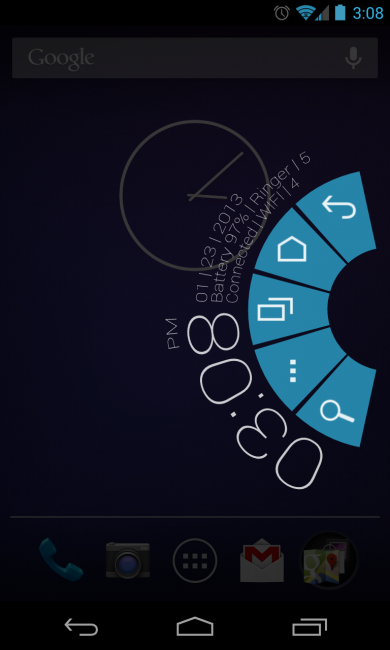
A new and important feature that has come to light in the recent beta builds, and now sees light in the official release of PA3 is the PIE control system. What this allows one to do is to disable onscreen buttons and use a swipe gesture to access various common functions, thereby freeing up valuable screen real estate. The menu can be seen in the header image above, as well as the video below.

Per-app color, another significant feature in PA3 and recent pre-release builds, allows you set system UI colors on a per-app basis. Want a black system bar for your launcher, but a blue one for Facebook? No problem. Have more eccentric choices in mind? That’s fine too.

The most recent addition is screen calibration for the Google Nexus 4. While the vast majority of third-party reviews have praised the device for its screen, build quality, responsiveness, and overall value; some have been quick to point out that the screen seems under-saturated, especially to those coming from  overly saturated S-AMOLED devices. Rather than trying to offer a simple band-aid solution with RGB calibration, PA3 also corrects for the device’s gamma issues to give it the punch the IPS panel deserves. While you’ll be hard-pressed to find  anyone who says that the Nexus 4 screen looks “bad,” the calibration has been met with much praise thus far, and the team only hopes that these changes are incorporated upstream.

Those eager to get started should visit the link below.


Samsung Galaxy Nexus
LG Nexus 4
Asus Nexus 7
Samsung Nexus 10


Source: XDA Developers

Sunday, January 27, 2013

CyanogeonMod Introduces Chronus Clock Widget


cm10 chronus
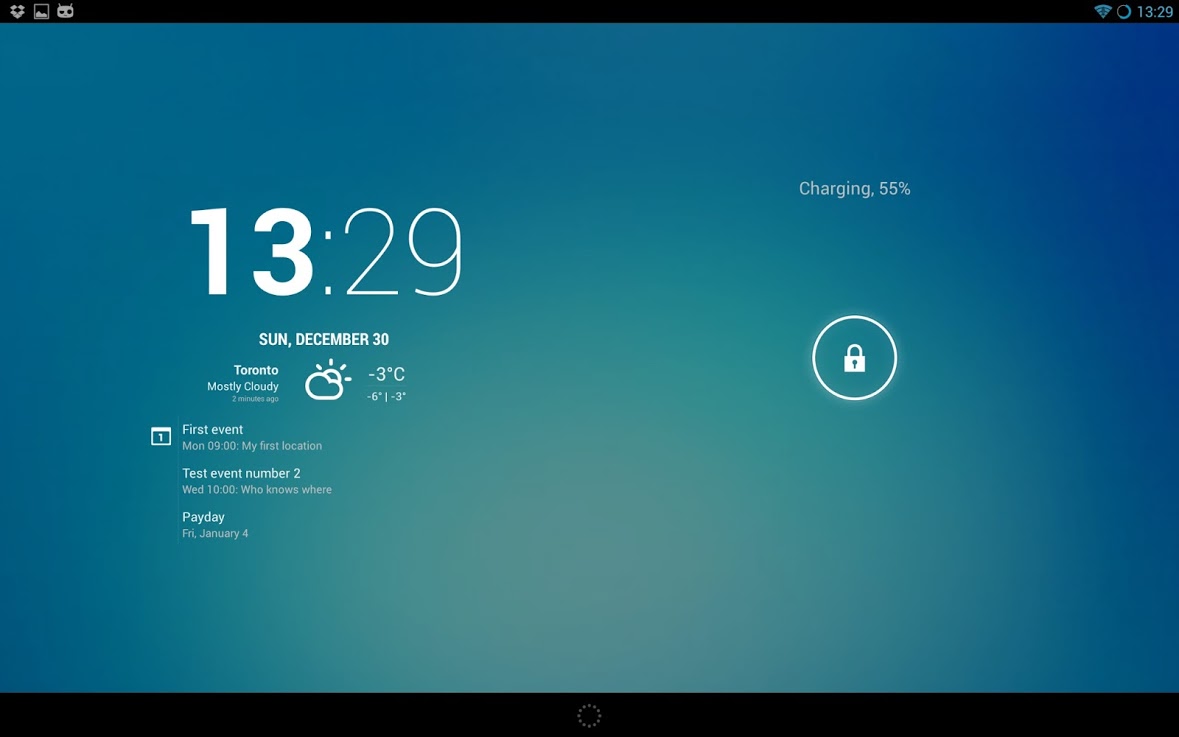
The CyanogenMod team introduced their next big thing, called Chronus. This has to be one of my most favorite apps I've ever downloaded or used. It’s a clock widget that resembles the new clock included in Android 4.2, only the CM team turned it up a notch by including weather and calendar options. It works on both lock and home screens, has numerous features, and will come packed inside CM nightlies starting immediately.

If your not use CM 10.1, well the XDA team has you covered. The XDA team has an apk available for download by following the link below. 

I have tried to install this on non 4.2 devices, with no luck. I also have installed this on my stock Nexus 7, and the apk installs and works without a hitch.
 Leave your comments, let us know what you think.


Chronus Download link


Source: XDA Developers

Thursday, January 24, 2013

LMT Launcher Brings PIE Without The Custom ROM


LMT Launcher
If you have been following our coverage of Paranoid Android ROM’s PIE and full desktop features, then we also wanted to direct you to an app with similar qualities that can be installed outside of a ROM. It’s called LMT Launcher, and it has been around for quite some time – November 2011 to be exact. It received a pretty major update today, though, so we wanted to make sure you were all aware of it. Its set of features is quite close to the PIE from PA’s ROM that we showed you, but only requires that you be rooted in order to use it. So for those of you looking for PIE goodness while remaining stock, this is an option. 
In the video below, I summarize the launcher in the briefest of manners. It’s one of those apps that you could probably spend a couple of hours with, tweaking and testing, until you find a setup that you like. But the basics are this – it allows you to setup regions to swipe from to access the PIE menu (pictured above), use gestures for completing actions, and set invisible swipe areas so that you can perform tasks from anywhere. There are custom color options, buttons that can be turned to actions in the PIE menu, and so much more.
If this sounds interesting enough, and it should since it received a sizable update this morning, then check out the video before jumping through to the XDA thread down below.

Friday, July 20, 2012

Android 4.1.1 Jelly Bean Rolling Out To Nexus S


Following a publication from Vodafone Australia, which revealed the Android 4.1 Jelly Bean upgrade was coming soon to Samsung Nexus S users in Australia, we knew it was only a matter of time before other countries got it too. And today, the update is making its way around the world.

Users on the XDA Developers forum are reporting that the Google has now begun its Jelly Bean rollout over-the-air for the Nexus S, and it’s already popping up all over the place including parts of Europe and Asia. The update weighs in at around 115MB.

As soon as yours is ready, your Nexus S will let you know. But if you just can’t wait until then, you can download the ROM from Google’s servers and install it yourself. Of course, it’s best you don’t do this if you don’t completely understand how the process works, because you could cause all kinds of damage to your handset, rendering it unusable. And if you do, be sure to backup your data.

Have you received your Jelly Bean update for the Nexus S yet? Be sure to leave your comments below!