Showing posts with label Google+. Show all posts

Friday, January 30, 2026

Samsung Is Now Selling Its $2,899 Galaxy Z TriFold In The US...

The wait is over!!! Samsung foldable fans in the US have a new ultra-premium option. The Galaxy Z TriFold, Samsung’s first dual-hinged phone-tablet hybrid, is officially on sale in the US. You can buy it from Samsung Experience Stores or directly from Samsung’s online shop. The price is simple and steep: $2,899, which is $900 more than the single-hinged Galaxy Z Fold 7.


There are no choices to make, either. The Galaxy Z TriFold comes in one configuration only — 512GB of storage, finished in Crafted Black. No variants, no upsells. There’s also no pre-order phase. Samsung announced US availability just days ago, allowed fans to sign up for updates, and then skipped straight to retail. The TriFold goes on sale today, first come, first served, with no official word on how many units are headed to the US.


That matters, because the phone has already sold out multiple times in Korea. Samsung is manufacturing it in limited quantities, as it's reportedly losing money on each unit sold. If you’re a US foldable enthusiast and you actually want one, waiting might not be the smartest move. As for why Samsung is selling a phone it’s reportedly losing money on, the answer is simple. The Galaxy Z TriFold isn’t about margins. It’s a technical flex, designed to underline Samsung’s foldable leadership and put a spotlight on the foldable Galaxy portfolio.


Source: Samsung

Google Starts Rolling Out Android 16 QPR3 Beta 1.1


Google has started rolling out a new Android 16 QPR3 beta update for Pixel devices, and while it does not introduce any new features, it does bring in an important fix for an issue that could affect everyday usage.

The update, labeled Android 16 QPR3 Beta 1.1, is now rolling out to supported Pixel phones as a minor follow-up to the first Android 16 QPR3 beta released earlier this month. This update focuses primarily on stability rather than adding new functionality.

As per the official changelog, Android 16 QPR3 Beta 1.1 fixes an issue that caused some apps to crash immediately on startup (Issue #470144317, Issue #470214834). Google lists this as a change addressing problems where certain apps would fail to launch correctly.
The new build bumps the version number to CP11.251114.007, up from CP11.251114.006, and comes in at roughly 58 MB in size. It is available for a wide range of Pixel devices, starting from the Pixel 6 series and extending all the way up to the latest Pixel 10 lineup. If your device is already enrolled in the Android Beta Program, the update should arrive as an OTA download.

The first Android 16 QPR3 beta introduced a handful of notable changes. One of the biggest additions was the option to disable the At a Glance widget from the home screen, something Pixel users have been asking for years. Google also added the ability to swap the back and recent buttons when using three-button navigation.

Another standout change introduced with QPR3 Beta 1 was improved flashlight controls. Instead of a simple on-or-off toggle, the system now lets you adjust the brightness level of the flashlight, similar to iPhones.

If you want to try out the latest Android 16 beta, make sure your Pixel is enrolled in the Android Beta Program. OTA updates have already started rolling out, but if it has not appeared on your device yet, you can sideload the update or flash the factory image manually. Alternatively, if you prefer waiting it out, the stable release of Android 16 QPR3 is expected to arrive sometime in Q1 2026.


Source: Google

Saturday, January 25, 2025

Google Gemini Now Works Across Multiple Apps


Google’s AI assistant Gemini is now able to carry out tasks across multiple apps in a single interaction, in an update announced today alongside the launch of Samsung’s new Galaxy S25 series. Those phones are also Samsung’s first to feature Gemini as the default on-device assistant, relegating Bixby to the app drawer. Those changes are part of a raft of other updates from Google including improvements to the AI-powered Circle to Search.
With the recent update, Gemini is able to carry out more complex multimodal tasks. You might ask it to find a dog-friendly Italian restaurant and send it to your friend, or pull up your NFL team’s upcoming games and add them to your calendar, all in a single prompt.
Gemini is the most widely available AI assistant supported in 45 languages, in more than 200 countries and territories, and we’re continuing to add more.
It’s available on hundreds of phone models from dozens of device makers, and has been tailored for the many form factors of Android from phones to foldables. On Samsung’s Galaxy Z Fold6, you can bring Gemini into a multi-window, split-screen experience for multitasking. And on the Motorola Razr+, you can bring up Gemini directly from the external display to quickly summarize your recent emails without ever having to open your phone. Beyond the latest flagship devices, Gemini is already supported on existing devices, which means your Android phone keeps getting better over time.

Thursday, June 1, 2023

Meet Motorola’s New Razr Device, The Moto Razr+


After all the leaks and rumors of the past month or so, Motorola has taken it upon itself to confirm that its new Razr 40 range of foldable smartphones will be unveiled on June 1. It’s believed that Motorola will announce a pair of foldable phones at the launch event which will apparently “Flip the Script. June 1".


Evan Blass, known by his handle @evleaks, today published a batch of images showing off the Motorola Razr 40 Ultra (aka the Moto Razr+) from every angle in three colors black, blue, and the magenta/red.

Source: Twitter

Android 14 2.1 Public Beta, Now Available


Google has released the first public beta version of Android 14. Previous beta versions were intended only for developers. This version of Android 14 only includes a handful of minor changes visible to users, compared to Android 13. 

One is a smarter share-sheet, with new, faster options to share content with other people and devices. The "back" gesture has also been tweaked with a new visual interface. Most other changes are "behind the scenes" changes for developers. Google sometimes keeps new Android features hidden until it can announce them at an event like its annual I/O conference. Users wishing to try out Android 14 Beta 1 (on a non-critical device) can now enroll a recent Pixel phone in the beta program to access the software.


Source: Google

Monday, July 26, 2021

Android 12 Beta 3.1 Update Is Here, Bug Fixes In Tow


Google has just released a bug fixing update for the recent Android 12 Beta 3 release. The new version Android Beta 3.1 addresses a number of undefined stability issues while also fixing a few more specific problems that adventurous users and developers may have run into, including bootloops and memory trouble. The update started rolling out via OTA and is available via direct download (view the download link below).


Android 12 Beta 3.1 Release Notes

If you’re already running a Android Developer Preview or Beta build, you will automatically receive an over-the-air (OTA) update to Android 12 Beta 3.1.

This minor update to Android 12 Beta 3 includes stability improvements as well as the following fixes:

Fixed an issue that caused some devices to get stuck in a boot loop after restarting the device. (Issue #193789343)

Fixed an issue that sometimes caused the System UI to crash.

Fixed an issue that sometimes caused the Android low memory killer daemon (lmkd) to excessively kill processes.


For instructions on how to update to Android 12 Beta 3.1 you will want to checkout out this post. If you are a part of the Android Beta program, then you can simply check for it by going to Settings>System>System update.


Android 12 Beta 3.1 Downloads: Factory, OTA  

Wednesday, May 6, 2020

Android 11 Developer Preview 4 Goes Live...

Developer preview gives an early first look at Android 11

Today we get Android 11 Developer Preview Four... Previously, Google said there would only be three Android 11 Developer Preview releases but Google is making a few changes to the Android 11 release schedule, and that includes this unexpected additional developer preview. The next beta release has been moved to June 3rd, where it will be dropped as part of a new Beta Launch Show online event details for which Google published earlier today. All of the following betas on the original schedule have also been pushed back a month.

Google says that this new timeline is the result of challenges posed to developers as a result of current events. The extra month will give them more time before Android 11's changes reach the "platform stability" milestone, and an extra month for developers to get Android 11 apps ready for testing (developers should note: SDK and APIs for Android 11 are still set to be finalized in June).


Android 11 Beta Arrives, June 3rd

Android 11 Beta Show
 
Android 11 Developer Preview program showed that we would get several previews before a public beta release some time in May. Google has now revealed that the first Android 11 Beta will arrive in June with a special online presentation.

This is the replacement for Google I/O, which was canceled due to coronavirus. The new event is called “The Beta Launch Show” and will take place on June 3 at 8AM Pacific (11AM Eastern).


Saturday, May 2, 2020

Motorola Rejoins The Flagship Game Meet, The Motorola Edge+

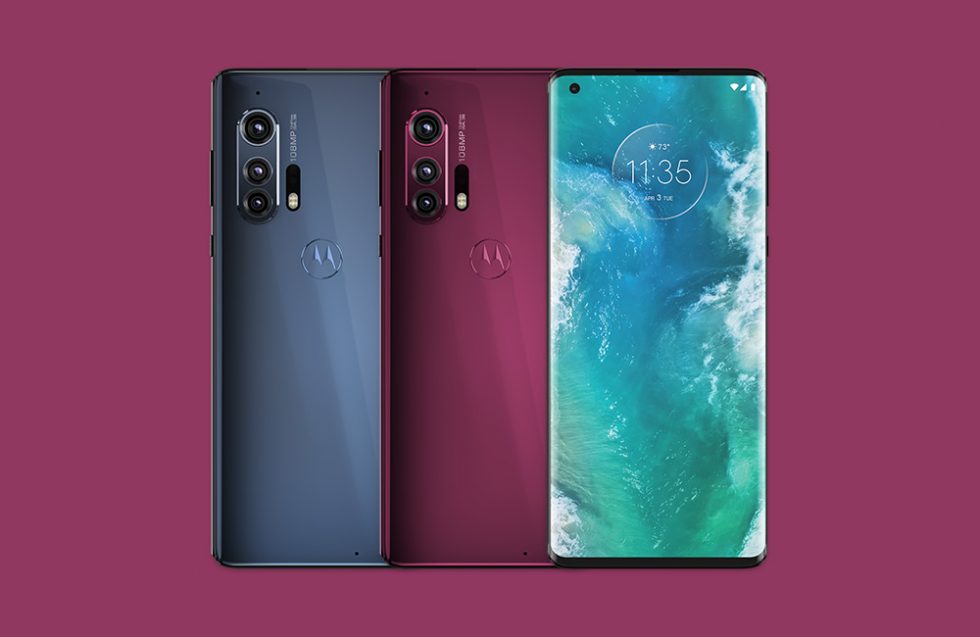
Motorola Edge+

Motorola is back in 2020 with the Motorola Edge+, a phone whose specs and price put it right next to Samsung in a battle for the top. With limited availability watching as Motorola tries to get their new phone in front of your eyeballs should be interesting.

The Motorola Edge+ is a $1,000 phone coming exclusively to Verizon in the US. It features a 6.7″ OLED display with a 90Hz refresh rate and 1080p resolution, Snapdragon 865 processor, 12GB LPDDR5 RAM, 256GB UFS 3.0 storage, 5000mAh battery with fast wired (18W) and wireless (15W) charging, triple rear camera setup on the back, 3.5mm headphone jack, stereo speakers, fingerprint reader, Bluetooth 5.1, and Android 10.

The triple rear camera is made-up of 108MP main (binning to 27MP, f1.8, OIS), 16MP ultra-wide (f2.2, 117-degree FOV), and 8MP telephoto (f2.4, OIS) lenses. It can shoot up to 6K and 4K video at 30fps, as well as slow motion 1080p at 120fps. The front camera is a 25MP shooter.

This phone will be big on connectivity, with access to Verizon’s 5G mmW. When Verizon expand beyond mmW, the phone is sub-6GHz 5G ready and has WiFi 6 support for faster WiFi.

Android 11 Developer Preview 3 Now Available

Android 11

Google has released Android 11 Developer Preview 3 to supported Pixel devices, including the Google Pixel 2/2 XL, Google Pixel 3/3 XL, Google Pixel 3a/3a XL, and Google Pixel 4/4 XL. We still not to the beta stage, so you won’t just be able to easily enroll in this preview like you have been able to in the past. 

This should be the last preview build before the Android 11 beta in May.

Google says this update contains “bug fixes and a set of productivity improvements,” we are assuming this is the final preview before going into beta and opens up a wider audience. Flash if you dare...

How to install Android 11 Developer Preview 3


New Google Pixel Buds Now Available

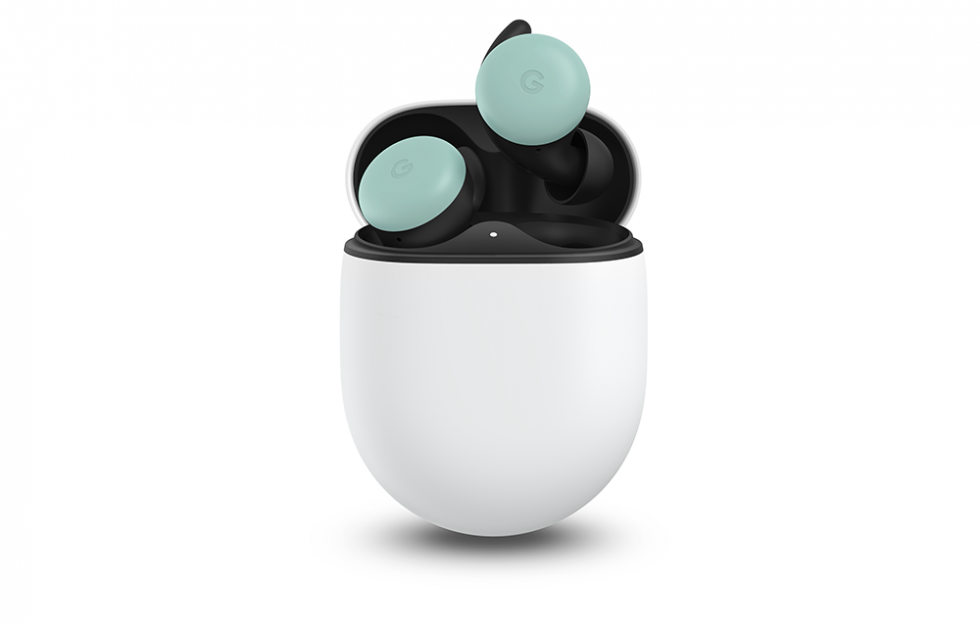
Pixel Buds

The new Google Pixel Buds (2nd Gen) are now available. Google made the release official and the first reviews are starting to pop up.

At this time, only the Clearly White pair is available, though Google still shows that Almost Black, Quite Mint, and Oh So Orange are coming soon with a waitlist. It’ll appears to be months before others are available.

If you’d like a pair, you can order them for the following places:


Sunday, February 2, 2020

Byte, Is The New Vine

Image result for byte vine

The Byte app is now available to everyone, both iOS and Android. Byte is a social network based on short video clips, with comment features similar to Instagram, and a "rebyte" feature similar to retweets on Twitter. 

Byte was founded by Dom Hofmann one of the original creators of Vine and is similar to Vine in many ways. (Vine was purchased by Twitter, and shut down 2016.) The Byte app includes a search/explore section that lets you explore content by category, such as animation, pets, fitness, music, comedy, travel, and experimental, as well as latest and most popular content. 

The camera section lets you string together multiple short clips at once, recorded from either the front or back camera, and/or include sections of previously-recorded video. An onion-skinning feature helps you visually align the start of a new clip with the last frame of the last clip.


Source: Google Play, Apple App Store

Thursday, July 4, 2019

Samsung Galaxy Note 10 Arrives August 7


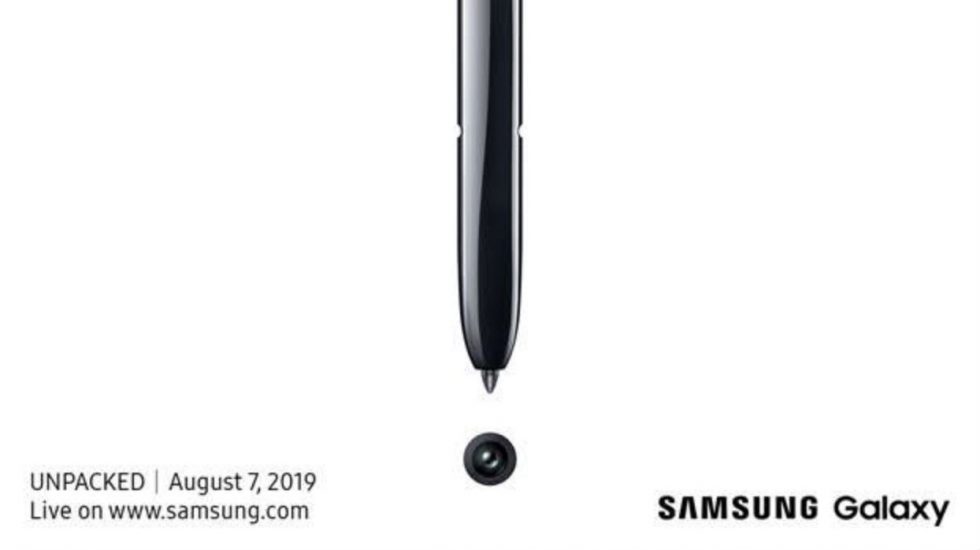
The unveiling date has been set for Samsung’s upcoming Note 10 device, the Samsung Galaxy Note 10. Samsung intends to announce the device on August 7 at 4PM Eastern in Brooklyn, NY. 

The invite, which teases new camera capabilities, shows the S Pen circling around a camera sensor and the link to the UNPACKED invite says that the launch will "take the Galaxy's connected ecosystem to the next level".


Source: Samsung

Thursday, June 27, 2019

Google Will No Longer Making Tablets

Google has confirmed it has dropped all plans of releasing any tablet in the foreseeable future. Instead, it will focus on laptops and other devices running Chrome OS.

Google’s initial tablet, the Google Nexus lineup was not meet with much success. The Google Nexus 7 with a 7 inch form factor did well but it was more of a surprise hit. After the disastrous start with Android tablets Google launched the Pixel Slate running Chrome OS in 2018. 

However, even the Google Pixel Slate offered a not well received user experience, performance and failed to attract consumers.

This does not mean that Android or Chrome OS tablets themselves are dead. While you will have a hard time finding Android tablets in the market, Google will continue to support OEMs who are interested in launching such tablets. Samsung is currently the only major OEM which continues to launch Android tablets.


Source: Twitter

Sunday, June 23, 2019

Dota Underlords Open Beta Now Available


Dota Underlords is now available on Android, iOS, and PC. The game is Valve’s take on the Dota Auto Chess mod for the popular Dota 2.

For fans of Dota and the Auto Chess mod, this will be a time killer and is available to download now on Apple iPhone's and Google Android device. This is still an early Beta with Valve confirming that it expects the title to stay in this Early Access phase for at least a few months where updates and features will be added over time.

STRATEGIZE TO WIN: Recruit heroes and upgrade them into more powerful versions of themselves.

MIX AND MATCH: Each hero you recruit can form unique alliances. Stacking your team with allied heroes will unlock powerful bonuses that can crush your rivals.

CROSSPLAY: Play on your platform of choice and battle players across the globe in a hassle free crossplay experience. Running late? Start a match on your PC and finish it on your mobile device (and vice versa). Your profile in Dota Underlords is shared across all devices, so no matter what you play on, you’re always making progress.

LIGHTNING FAST NETWORK: Valve’s network will get you into a game in no time flat.

RANKED MATCHMAKING: Everyone starts at the bottom, but by playing against other Underlords you’ll climb through the ranks and prove you’re worthy to rule White Spire.

TOURNAMENT READY: Create your own private lobbies and matches, then invite spectators to watch 8 Underlords duke it out.

OFFLINE PLAY: Offering a sophisticated AI with 4 levels of difficulty, offline play is a great place to hone your skills. Pause and resume games at your leisure.

SEASONAL ROTATION: Every season we’ll say goodbye to certain Heroes, Items, and Traits to make room for new additions that will shape the ever-evolving world of Underlords.

You can download Dota Underlords from the Google Play Store or Apple App Store at the links below. Currently the game is available as a free download, with a battle pass in the works that will add progression, cosmetics, custom boards and other new features to the Dota Underlords experience. You can find more information at the Underlords link below.


Souce: Dota Underlords, Google Play, Apple App Store

Wednesday, June 12, 2019

Android Q Beta 4, Rolling Out To Google Pixel Devices

Image result for android q beta
Android Q is the latest Android OS version by Google. With some advanced features and latest tech device compatibility. Google released the fourth beta version of the Android Q today.

You can download and run Android Q on all Google Pixel devices, to get Android Q on your Google Pixel device, you need to be a part of the Google Android Beta program.


How to Download Android Q:

Once you are a part of Google's Beta program, you will receive the build over the air. Android Beta program users can enroll Google Pixel devices from the source link below.

What's new in Android Q:

Privacy: Google introduced new privacy and security policy with Android Q to enhance privacy for OS controls, file based encryption, Google Play Protect, and more. With Android, Q Google has also provided options to control an apps' access to photos, videos or audio collections via new runtime permissions feature. Also, apps that access downloaded files on your device have to now go through the system file picker. Android Q has a unique real time running feature which will prevent any background app from launching an activity unless it is essential, such as alarms or an incoming call.


Control over location: Android Q will give you more control over the location sharing. With Android Q, the user will have the option to provide app permission to use location all the time, only when the app is in use, or never. This is an extraordinary feature I found which will help your phone to save better and internet data.

Device location access and foldable screen support : With new folding smartphones support one can let two apps work simultaneously, and to notify the app when it has focus. Apart from that, Google will also give you to decide how your app is shown on foldable screens. We should hear more on that in the upcoming betas.

Sharing shortcuts: Android Q with a new shortcut feature in Android Q user can jump directly into another app for sharing content using a feature called Sharing Shortcuts. Also, the next Android version will include a new settings panel which will let you see key system settings such as Wi-Fi connection, network, and aeroplane mode on third party apps via a floating window.

Dynamic Depth Image: With new Android Q image feature, apps can request a 'dynamic Depth Image' which allows you to use specialized blurs and bokeh options as well as enjoy 3D images and support for AR photography.


Source: Android Beta Program

Google Confirms Pixel 4 Design, Via Twitter


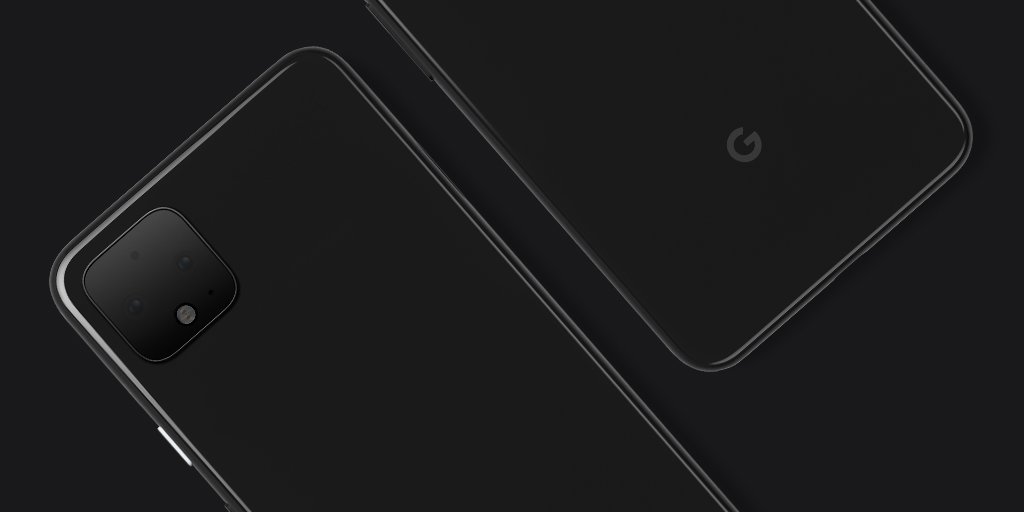
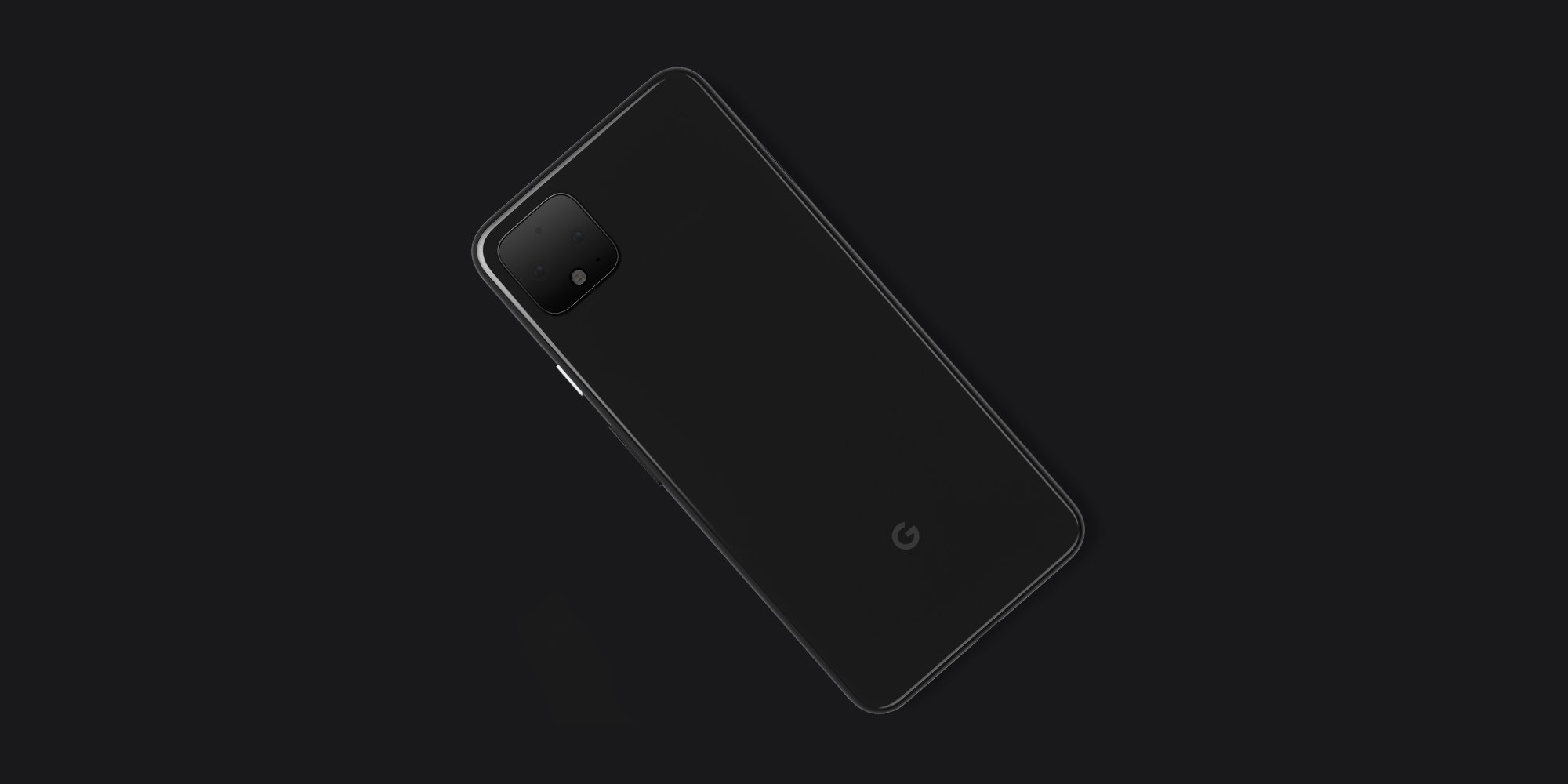
Google on Twitter officially confirmed the Google Pixel 4’s design. Tweeted from the official Made by Google account at 11:30AM PT we can see the rear of the Google Pixel 4 including the square camera bump with two side by side lenses a first for the Pixel lineup, but standard on competing Android and iPhone devices. Underneath is a flash, while there are two unknown cutouts at the very top and in the bottom right corner and possibly a microphone.

The photo only shows the rear of the Google Pixel 4 with the lower left device highlighting the cameras while the top right shows the Google logo at its usual position at the bottom. Elsewhere on the phone we see the volume toggle and a white power button but the lack of a fingerprint sensor.

On the right edge when looking at the phone from the rear there is a small recess consistent with a SIM card slot/tray. You can also make out the USB-C cutout at the very bottom.


Google Pixel 4 design

To accompany the image Google tweeted an reference that teases “what it can do.” A hashtag also reveals what the company is unsurprisingly calling its next flagship "Pixel4".


Source: Twitter

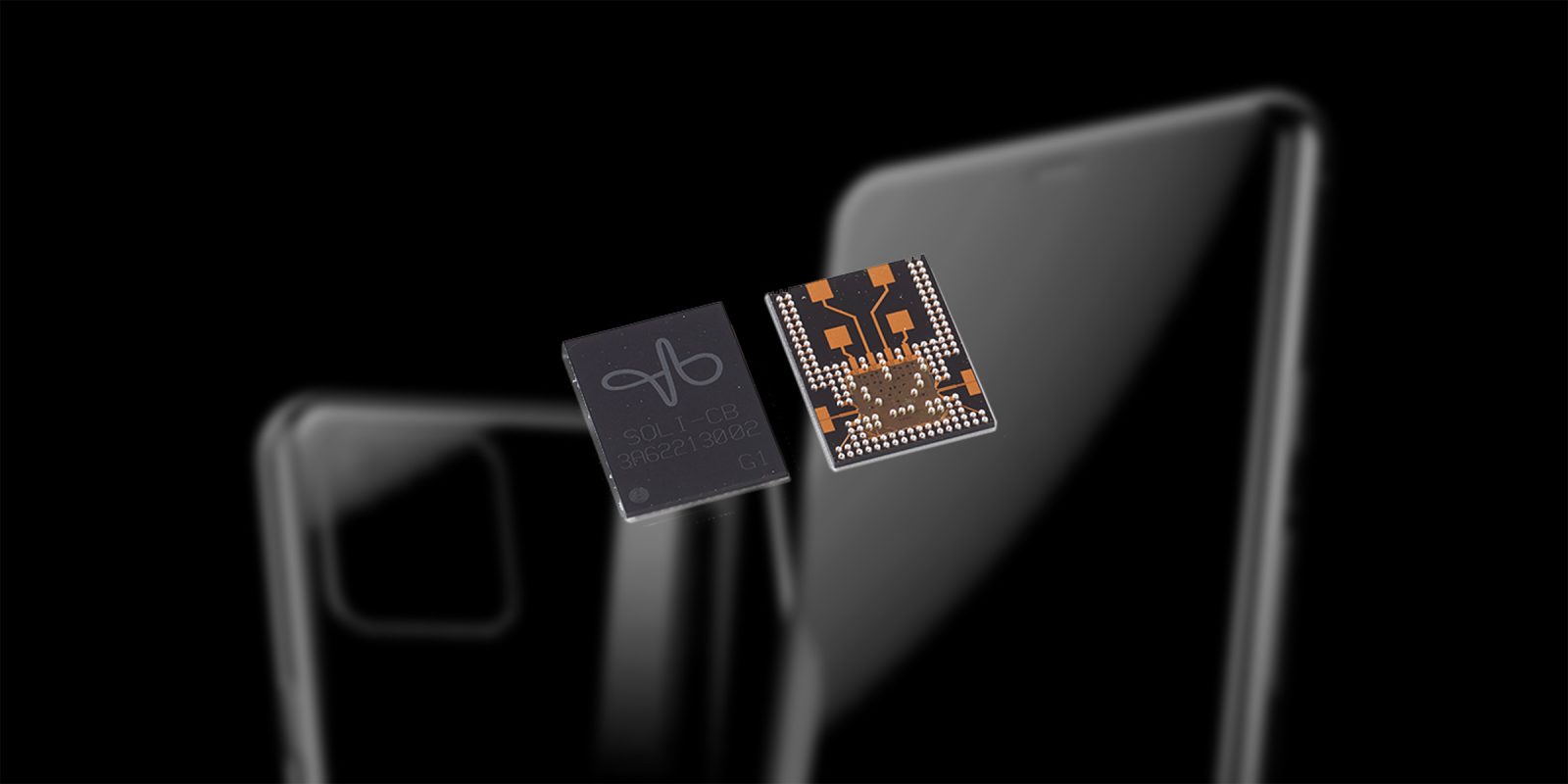
Google’s Project Soli Chip Could Debut In Google Pixel 4


Project Soli is a Google ATAP endeavor based on radar hardware most notably for device control via subtle hand movements. Whether you’re using a watch, phone, or tablet this miniature radar sensor can differentiate between very fine motions to perform various platform specific functions.

Google showed off Project Soli working on both a smartwatch and a smart speaker at Google I/O 2016. The demo showed the chip embedded in a Wear OS smartwatch for interface control and the smart speaker integration made it possible to simply wave at the speaker to tell it to stop playing.


Google is rumored to be launching a new generation of the Google Home this year, as well as a smartwatch and gesture based control via Soli. Some details from XDA corroborate that the Google Pixel 4 will have a Soli chip, and suggest that the feature will be called “Aware” for users.


Source: XDA Developers

Monday, April 15, 2019

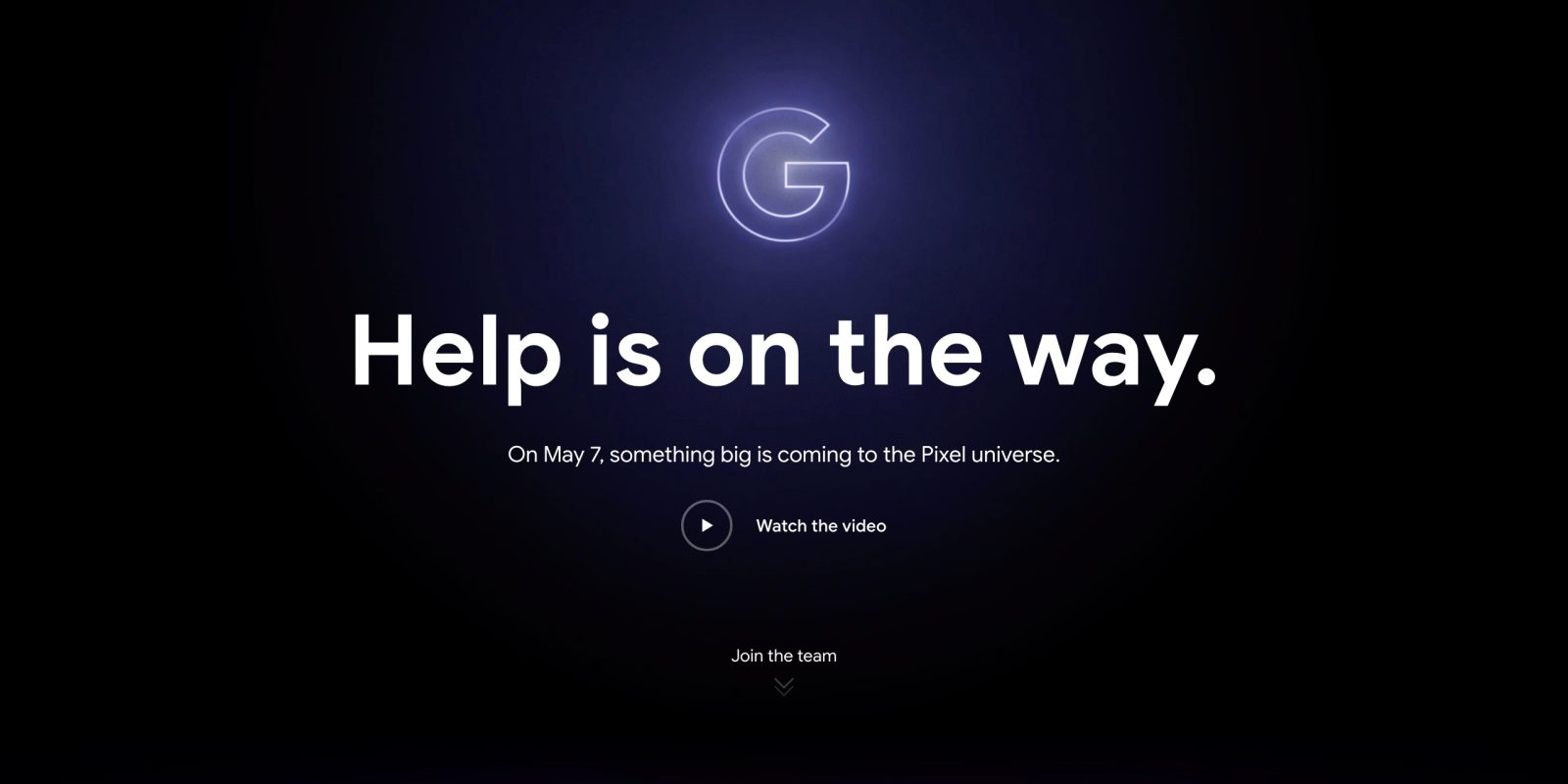
Google Teases Google Pixel 3a And Google Pixel 3a XL, Announcement On May 7th


This new teaser page on the Google Store went live with an Avengers Endgame promotion for new Playmoji AR Stickers that were announced earlier this morning. Leveraging that superhero theme throughout, Google says “Help is on the way.” The “G” logo on this site is a Thanos shade of purple and very similarly styled to artwork for the upcoming movie in the Marvel franchise.

The Google Store today allows users to sign-up for news, and recognizes if you’re already on the mailing list. Tuesday, May 7th happens to coincide with Day 1 of Google I/O 2019 in Mountain View.

That opening keynote will likely be the best stage for announcements, with other possible introductions being a Google Home Hub rebrand to Google Nest Hub, and the increasingly leaked Nest Hub Max.
 

Thursday, March 14, 2019

Android Q Public Beta, Rolling Out To Google Pixel Devices


Image result for android q beta

Android Q is the latest Android OS version by Google. With some advanced features and latest tech device compatibility. Google released the first beta version of the Android Q today.

You can download and run Android Q on all Google Pixel devices, to get Android Q on your Google Pixel device, you need to be a part of the Google Android Beta program.

How to Download Android Q:

Once you are a part of Google's Beta program, you will receive the build over the air. Android Beta program users can enroll Google Pixel devices from the source link below. 


What's new in Android Q:

Privacy: Google introduced new privacy and security policy with Android Q to enhance privacy for OS controls, file-based encryption, Google Play Protect, and more. With Android, Q Google has also provided options to control an apps' access to photos, videos or audio collections via new runtime permissions feature. Also, apps that access downloaded files on your device have to now go through the system file picker. Android Q has a unique real-time running feature which will prevent any background app from launching an activity unless it is essential, such as alarms or an incoming call.


Control over location: Android Q will give you more control over the location sharing. With Android Q, the user will have the option to provide app permission to use location all the time, only when the app is in use, or never. This is an extraordinary feature I found which will help your phone to save better and internet data.

Device location access and foldable screen support : With new folding smartphones support one can let two apps work simultaneously, and to notify the app when it has focus. Apart from that, Google will also give you to decide how your app is shown on foldable screens. We should hear more on that in the upcoming betas.

Sharing shortcuts: Android Q with a new shortcut feature in Android Q user can jump directly into another app for sharing content using a feature called Sharing Shortcuts. Also, the next Android version will include a new settings panel which will let you see key system settings such as Wi-Fi connection, network, and aeroplane mode on third party apps via a floating window. 

Dynamic Depth Image: With new Android Q image feature, apps can request a 'dynamic Depth Image' which allows you to use specialized blurs and bokeh options as well as enjoy 3D images and support for AR photography.


Source: Android Beta program