Showing posts with label PowerPoint. Show all posts

Wednesday, January 21, 2015

Microsoft Reveals Windows 10 Details


Microsoft today offered an early first look at its forthcoming Windows 10 operating system, which will run on PCs, tablets, and phones. Microsoft said it is taking a new, more user-centric approach with Windows 10. It is incorporating the feedback it received about Windows 8/8.1 and is making sure to add user requested features, such as the old Start menu. The company now views Windows more as a service and it will provide continual updates. 

Microsoft said Windows 10 will be a free upgrade during its first year of availability, for example, to all devices running Windows 7, Windows 8.1, and Windows Phone 8.1. Windows 10 for PCs and tablets will gain features from Windows Phone, including the Action Center and Cortana, Microsoft's voice activated personal assistant. Windows devices with screens 8 inches and larger will include the "desktop experience." Smaller devices will have an altered experience more suited for phones. A rough build of the phone centric version of Windows 10 features a revised settings menu that has new graphics. 

Windows 10 also allows users to move the keyboard around on the screen if they so wish. The entire Windows 10 platform will include Skype more firmly entrenched across apps. Furthermore, full versions of Word, Excel, and PowerPoint that closely match the desktop variants will be included in Windows Phone 10. 

All Windows 10 devices will have a new Outlook client, which has been revised with the Word engine. Other major app rewrites include the calendar, photo gallery, and Internet Explorer, which is based on Project Spartan, a complete overhaul of the browser. Lastly, the entire platform will more broadly support Xbox gaming, including PC to Xbox play. Microsoft said the first preview of Windows 10 for phones will be available to "insiders" beginning in February.

Source: Microsoft News

Wednesday, April 3, 2013

Download Quickoffice For From Google Play

Quickoffice

Google is now providing a way to edit and create Microsoft Word, Excel, and PowerPoint documents for Google Apps for Business users

Google Drive is pretty slick. It allows you to collaborate, edit on the fly, and create documents and easily share them. The problem is, most of the time somebody in your organization will end up using a Microsoft Office product and throw a wrench in it all. You see, Google Drive's editing abilities don't mix well with Microsoft Office files. 

Since Microsoft Office is the standard for business documents, Google is trying to alleviate any problems a bit by offering up a free copy of Quickoffice which is very compatible with the various MS Office format. If you're a Google Apps user, grab it free from the Google Play link below.


Source: Google Play Store

Thursday, February 21, 2013

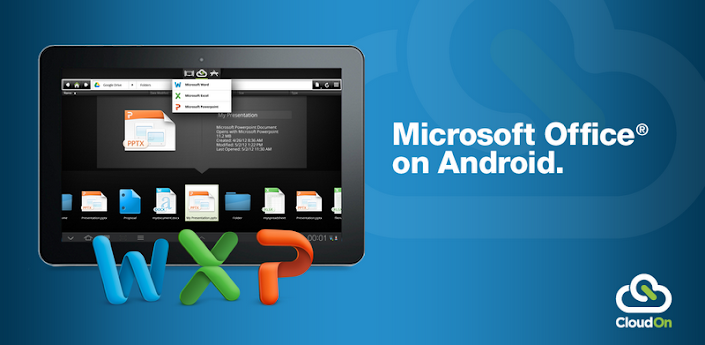
CloudOn Brings Microsoft Office To Your Android Tablet And Smartphone

CloudOn

CloudOn brings Microsoft Office® to your Android Tablet and Phone and links it to your Box, Dropbox, Google Drive and SkyDrive accounts.

If that isn’t enough, the built-in Adobe Reader and File Viewer lets you open and view virtually any file type, including PDF, JPG, PNG, GIF, etc.
And, because we know your work isn’t always just for you, you can easily email files to your contacts directly from the workspace.
CloudOn provides you the files you want and the applications you need in a single workspace – made for the device you love.
The CloudOn Workspace allows you to:
• Use Microsoft Word®, Excel® and PowerPoint® on your Android Tablet and Phone to create, review and edit documents.
• Rename, delete and manage documents with your Dropbox, Box, Google Drive and SkyDrive accounts.
• View virtually any type of file, including: PDF, JPG, PNG, GIF, etc.
• Share files as links or attachments via email directly from the workspace.
• Display, edit or create charts, change formatting, spell check, insert comments, etc into any Word, Excel or PowerPoint files.
• Use the FileSpace to see a log of all the activity on file including edits, notifications and notes.
• Track changes while reviewing Word documents.
• Use pivot tables and insert formulas in Excel workbooks.
• Display and edit transitions in PowerPoint slides and present in full presentation mode.
• Open files directly from your device email accounts as well as Dropbox, Box, Google Drive and SkyDrive.
• Automatically save documents to avoid losing changes.