Showing posts with label Dropbox. Show all posts

Saturday, January 17, 2015

AllCast Now Available For iOS Devices


AllCast recently brought its media-sharing app to the iTunes App Store. AllCast lets iOS device owners cast content from their camera roll, Google Drive (Google+, Picasa), or DropBox on their iPhone or iPad to an AppleTV, Chromecast, FireTV, Roku, or Xbox. AllCast also supports music casting, though the files must be stored locally on the iPhone or iPad. AllCast duplicates some of the features of Apple's own AirPlay. 

AllCast is free to download from the iTunes App Store. AllCast is already available to Android devices.

Click the respective links to download AllCast for Android and iOS. Drop us a line in the comments, let us know what you think.

Friday, February 14, 2014

Motorola Mobility CEO Dennis Woodside Joins Dropbox As COO


Motorola Mobility CEO Dennis Woodside has confirmed less than two years after taking over the position from Sanjay Jha before the Google acquisition, he will be leaving Motorola Mobility to take a position with Dropbox as COO. The move comes just weeks after the announcement that Lenovo would be taking over Motorola from internet giant Google. 

Jonathan Rosenberg who has been Senior Vice President of Product will be stepping in as COO of Motorola to work with the rest of the leadership team.

Source: Motorola

Sunday, April 28, 2013

iOS Email Client Mailbox Hints At Android Release


Currently limited to Gmail accounts, Mailbox opened up to massive queues of people waiting to get in. It wants to help you get on top of your mail and stay on top by prioritizing what matters right now. So, why are we interested? 
Besides being a first rate application regardless of platform, the developers have publicly hinted at an Android version being on their roadmap. It's pretty vague, but when questioned on Twitter they did indeed confirm that "other platforms are coming down the road including Android."

Source: TechCrunch

Friday, March 15, 2013

Dropbox Acquires iOS Email App Mailbox


New email app Mailbox, which was launched by Orchestra last month, has been acquired by Dropbox. In a post on the company’s blog, the Mailbox team said that this acquisition was about accelerating growth for Mailbox.
Dropbox, the team from San Francisco who helps over $100M people bring their photos, docs, and videos with them anywhere. They’re a profoundly talented bunch who build great tools that make work friction less  and Mailbox fits Dropbox’s mission like a glove. Plus, they've got a ton of experience scaling services and are experts at handling people’s data with care. In short, Dropbox is our kind of company.
Orchestra was adamant that Mailbox would not be going away, and that this move was primarily about scaling to meet demand as fast as possible. With the Dropbox team behind Mailbox, those still waiting in line to use the app could see that wait decrease dramatically. This acquisition might allow the Orchestra team to improve on and expand the app sooner rather than later.

Source: Mailbox


Thursday, February 21, 2013

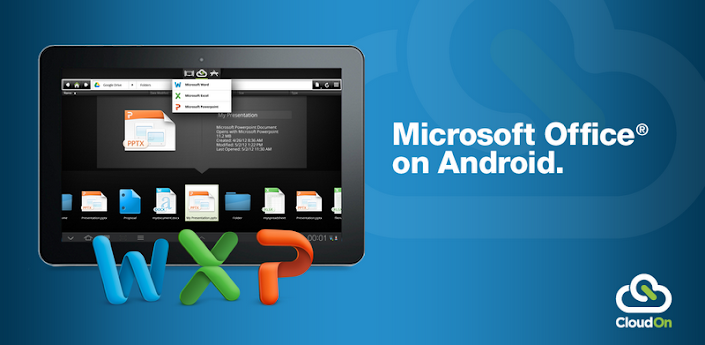
CloudOn Brings Microsoft Office To Your Android Tablet And Smartphone

CloudOn

CloudOn brings Microsoft Office® to your Android Tablet and Phone and links it to your Box, Dropbox, Google Drive and SkyDrive accounts.

If that isn’t enough, the built-in Adobe Reader and File Viewer lets you open and view virtually any file type, including PDF, JPG, PNG, GIF, etc.
And, because we know your work isn’t always just for you, you can easily email files to your contacts directly from the workspace.
CloudOn provides you the files you want and the applications you need in a single workspace – made for the device you love.
The CloudOn Workspace allows you to:
• Use Microsoft Word®, Excel® and PowerPoint® on your Android Tablet and Phone to create, review and edit documents.
• Rename, delete and manage documents with your Dropbox, Box, Google Drive and SkyDrive accounts.
• View virtually any type of file, including: PDF, JPG, PNG, GIF, etc.
• Share files as links or attachments via email directly from the workspace.
• Display, edit or create charts, change formatting, spell check, insert comments, etc into any Word, Excel or PowerPoint files.
• Use the FileSpace to see a log of all the activity on file including edits, notifications and notes.
• Track changes while reviewing Word documents.
• Use pivot tables and insert formulas in Excel workbooks.
• Display and edit transitions in PowerPoint slides and present in full presentation mode.
• Open files directly from your device email accounts as well as Dropbox, Box, Google Drive and SkyDrive.
• Automatically save documents to avoid losing changes.


Tuesday, April 24, 2012

Google Drive And Android App Go Live


Google Drive is no longer a secret, as the Google Drive Android app is now live in the Play Store and the description gives us a great idea of what to expect.
As expected, Google Drive will be a Dropbox and Box competitor, as you’ll get some free cloud storage space to store your files. The official announcement went live a few seconds ago and it offers 5 GB of storage for free. You can also buy additional storage for a fee and this includes 100 GB for $4.99 a month, dramatically cheaper than the competition.
The app’s description also gives us some solid details. This is an evolution of Google Docs, so you can collaborate on the files in your Google Drive account. You can also open up multiple file types (including video) in a browser. Naturally, you’ll also have strong search capabilities including the ability to search through scanned documents with OCR technology.

Keep everything. Share anything.

*** Google Docs is now a part of Google Drive! ***
* Keep everything. Share anything.
* With Google Drive, you can store all your files in one place, so you can access them from anywhere and share them with others
* Use the Google Drive Android app to access your photos, documents, videos and other files stored on your Google Drive
* Upload files to Google Drive directly from your Android device
* Share any file with your contacts
Access files others have shared with you on Google Drive
* Make any file available offline so you can access them even when you don’t have an Internet connection
* Create and edit Google documents with rich text formatting
* Edits to your Google documents appear to collaborators in seconds
* Make quick changes to spreadsheets
* View your PDFs, presentations and more
* Upload and convert files to the Google Docs format
Take a photo of printed text and convert it to a Google document
* Optimized experience to take advantage of larger screens for tablet users, Honeycomb (Android 3.0+)


The Google Drive service is live at drive.google.com and you can download the Android app here. Google also says that an iPhone and iPad version are coming soon.

Thursday, March 29, 2012

Quickoffice Launches Its Own Cloud Service Connect


Everyone’s about cloud these days so why would Quickoffice be any different. It isn’t and it’s launching a cloud service of its own Connect by Quickoffice, allowing users to access and search across a number of cloud services and devices, regardless of operating system. At the same time, the solution provides users with a “fluid” online and offline document creating, editing, syncing and sharing experience.
Device wise, Quickoffice users can access files on a Mac, PC, iPhone, iPad, Android smartphone and tablet. As for the supported services, aside from Quickoffice’s own service, Connect also works with a number of popular third-party solutions, including Basecamp, Box, Catch, Dropbox, Egnyte, Evernote, Google Docs, Huddle, Microsoft SkyDrive, Springpad, SugarSync and WebDev. Finally, you can share your files via social networks like Docstoc, Facebook, LinkedIn, Slideshare, Scribd, Twitter and Yammer.
Connect comes with a native mobile application for iOS and Android, a PC or Mac desktop client and web portal for universal document and account management. The service automatically syncs documents to ensure the latest version is always available on any device.
When it comes to pricing, Quickoffice is offering Connect in three flavors: Basic, Premium and Professional, with the last mentioned costing $69.95 per year. During the limited time, Connect Premium will be available for a discounted price of $19.99/year (regular price is $44.99)

Google Drive To Be Released First Week Of April


After many false alarms, Google's cloud storage service has been coming for multiple years. The latest rumors came almost two months ago, when we found that a Dropbox-like service would be offered by the search giant. But today's unofficial news is a bit more exciting, as it states that "Google Drive," as it's being called, will be released "sometime during the first week of April."
This comes from GigaOM, a renowned tech news site, and they claim that the sources giving them this info are "well-placed and familiar with Google's plans."  As it goes with many new rumors, this one comes with a bit of extra details about the service.
The sources affirm that Google will be offering 1 GB of free storage, and charge for extra storage space. This comes as a surprise, since Google usually offers its services for free, or at least very affordable compared to the competition. But in this case, Dropbox would have the advantage by offering 2 GB for free. Not to mention Box's and Amazon Cloud Drive's free 5 GB.
None of this is set in stone just yet, as it is still a rumor. Prices for extra storage are still unknown, and that is where Google might have the advantage. Extra GBs could be more affordable than the competition, so it'll be interesting to see where they go with that.
In addition, it is mentioned that this service will launch for Google Apps customers, and will look much like Google Docs in regards to the interface. The search giant has also developed an API for developers to be able to make use of Google Drive.
The odds of this rumor coming to life are unknown, as they usually are. But we know Google must be getting ready for it, so we'll keep our eyes peeled. One of our readers even found a hidden "Add to my Drive" button within the Gmail coding.
This means that the service could be coming very soon. Maybe even early next month, as this rumor states. As always, take it with a healthy amount of salt until we get some more news. For now, the best idea is to stay tuned and hope to see this come to life soon, and with better offerings.

Recently found Updates

The guys from Talk Android have received a nice leaked image of what seems to be the PC client for Google Drive. The website's sources claim the same, but they state that the date of release has been changed to "the week of April 16th." But what makes this screen shot special is that it goes against GigaOM's claims that users will get 1 GB of free storage.
This image (along with the sources) confirms that users will get 2 GB of free storage, instead. This sounds much more enticing, but as mentioned above, it still does not beat the competition.

Thursday, February 9, 2012

Google To Launch Cloud Service Called Drive


Google is rumored to be launching a cloud-storage service that would compete head-to-head with wildly popular cloud provider Dropbox, SugarSync and others. The search giant’s cloud service will be called Drive and it’ll not only be free to consumers up to a certain size limit but it will also be folded into Google Apps for enterprise customers.
Drive will offer users some cool features out the gate, like the ability to store photos, documents and videos on Google’s servers so that they could be accessible from any Web-connected device, according to the Wall Street Journal. People will be able to record a video on an Android phone and then have it uploaded automatically to Picasa through a service called Instant Upload. Bad-ass, right? The new cloud service will offer competitive prices compared to rivals Dropbox and Box.net.
This is something Google can excel in because the company is well-seasoned when it has to do with running cloud services. Just think, products like GMail and GDocs work almost flawlessly in the cloud. In fact, you can argue that no one does cloud better than Google at this point. It also is in control of Android, so think about how deep it could integrate a cloudservice into that platform.
If this rumor turns out to be true, then we should see GDrive in the coming weeks or months. I for one, hope this comes soon because it goes perfectly with my favorite Google services.

Thursday, February 2, 2012

Dropbox Offering 4.5GB Of Cloud Space To Desktop Bug Testers


If you’re an avid user of Dropbox and love to test out new builds of software for your favorite cloud storage service, today’s your lucky day. Dropbox is showing off their version 1.3.12 beta release of their desktop software, offering up to 500MB of photos and video (or space for whatever you like) at a time, with 500MB more free each time you fill your space up. This testing ground software download is entirely free to download and will have you checking out a bevy of new options with the program itself including imports from iPhone, imports from SD cards, and a cleanup of the Windows user interface!
When you do download this update to your Dropbox software for desktop machines, you should know that there are different versions for different Linux builds, but one version per system for Mac OS X and Windows. Dropbox also warns users that they should make backup sets of files while using this update specifically as this testing sequence is in place to test out stability primarily. Those of you updating in the future when the beta is over should have nothing to worry about.
This update will bring you 500MB of free space when you hit the automatic upload option, then 500MB more each time you hit the limit up to 4.5GB more total. This version fixes an infinite restart of Dropbox when the database is corrupted, an import error for iPhone, handles your quota issues on first import more effectively, and has a lovely set of smaller bug fixes. The 1.3 import’s biggest changes are the allowance of batch uploads and downloads of files and the importing of files from cameras, phones, and SD cards in a much more effective manner.
You can download your version of the software courtesy of David E from Dropbox in their community forums and don’t forget to heed the warnings! Nothing is truly free, do your duty!