Showing posts with label beta. Show all posts

Friday, January 30, 2026

Google Starts Rolling Out Android 16 QPR3 Beta 1.1


Google has started rolling out a new Android 16 QPR3 beta update for Pixel devices, and while it does not introduce any new features, it does bring in an important fix for an issue that could affect everyday usage.

The update, labeled Android 16 QPR3 Beta 1.1, is now rolling out to supported Pixel phones as a minor follow-up to the first Android 16 QPR3 beta released earlier this month. This update focuses primarily on stability rather than adding new functionality.

As per the official changelog, Android 16 QPR3 Beta 1.1 fixes an issue that caused some apps to crash immediately on startup (Issue #470144317, Issue #470214834). Google lists this as a change addressing problems where certain apps would fail to launch correctly.
The new build bumps the version number to CP11.251114.007, up from CP11.251114.006, and comes in at roughly 58 MB in size. It is available for a wide range of Pixel devices, starting from the Pixel 6 series and extending all the way up to the latest Pixel 10 lineup. If your device is already enrolled in the Android Beta Program, the update should arrive as an OTA download.

The first Android 16 QPR3 beta introduced a handful of notable changes. One of the biggest additions was the option to disable the At a Glance widget from the home screen, something Pixel users have been asking for years. Google also added the ability to swap the back and recent buttons when using three-button navigation.

Another standout change introduced with QPR3 Beta 1 was improved flashlight controls. Instead of a simple on-or-off toggle, the system now lets you adjust the brightness level of the flashlight, similar to iPhones.

If you want to try out the latest Android 16 beta, make sure your Pixel is enrolled in the Android Beta Program. OTA updates have already started rolling out, but if it has not appeared on your device yet, you can sideload the update or flash the factory image manually. Alternatively, if you prefer waiting it out, the stable release of Android 16 QPR3 is expected to arrive sometime in Q1 2026.


Source: Google

Wednesday, June 12, 2019

Android Q Beta 4, Rolling Out To Google Pixel Devices

Image result for android q beta
Android Q is the latest Android OS version by Google. With some advanced features and latest tech device compatibility. Google released the fourth beta version of the Android Q today.

You can download and run Android Q on all Google Pixel devices, to get Android Q on your Google Pixel device, you need to be a part of the Google Android Beta program.


How to Download Android Q:

Once you are a part of Google's Beta program, you will receive the build over the air. Android Beta program users can enroll Google Pixel devices from the source link below.

What's new in Android Q:

Privacy: Google introduced new privacy and security policy with Android Q to enhance privacy for OS controls, file based encryption, Google Play Protect, and more. With Android, Q Google has also provided options to control an apps' access to photos, videos or audio collections via new runtime permissions feature. Also, apps that access downloaded files on your device have to now go through the system file picker. Android Q has a unique real time running feature which will prevent any background app from launching an activity unless it is essential, such as alarms or an incoming call.


Control over location: Android Q will give you more control over the location sharing. With Android Q, the user will have the option to provide app permission to use location all the time, only when the app is in use, or never. This is an extraordinary feature I found which will help your phone to save better and internet data.

Device location access and foldable screen support : With new folding smartphones support one can let two apps work simultaneously, and to notify the app when it has focus. Apart from that, Google will also give you to decide how your app is shown on foldable screens. We should hear more on that in the upcoming betas.

Sharing shortcuts: Android Q with a new shortcut feature in Android Q user can jump directly into another app for sharing content using a feature called Sharing Shortcuts. Also, the next Android version will include a new settings panel which will let you see key system settings such as Wi-Fi connection, network, and aeroplane mode on third party apps via a floating window.

Dynamic Depth Image: With new Android Q image feature, apps can request a 'dynamic Depth Image' which allows you to use specialized blurs and bokeh options as well as enjoy 3D images and support for AR photography.


Source: Android Beta Program

Monday, August 13, 2018

Apple Pulls iOS 12 Beta 7 For Developers (Updated)

Image result for ios 12
Apple made a new beta of iOS 12 available to its Developer community. iOS 12 Developer beta 7 was released today to registered developers. 

Apple didn't spill the beans on specific changes in this build other than bug fixes and improvements. iOS 12 Developer beta 7 includes a number of new features, such as improved notifications, memoji for the iPhone X, performance refinements, Screen Time for monitoring usage, and better security. 

Apple has however, pulled the Group FaceTime feature according to a report from The Verge. "Group FaceTime has been removed from the initial release of iOS 12," said Apple in a message to developers. Instead, Group FaceTime "will ship in a future software update later this fall." The final version of iOS 12 won't arrive until September or October. A new public beta is expected to arrive later this week.

Apple has taken notice, pulling the OTA update from its servers. Developers still have access to the IPSW file, which is available for download and manual installation via Apple's Developer website. 

We’ll stay tuned for a new build of the iOS 12 Developer beta 7 release to become available for over the air.


Update: Apple has also removed the update from the Apple Developer Center. 


Source: The Verge

Wednesday, July 25, 2018

Android P Developer Preview 5 Goes Live, For Pixel and Essential Devices


Image result for android p developer preview

Google and Essential just dropped the final Android P Developer Preview today. The files are available for the Google Pixel, Google Pixel XL, Google Pixel 2, Google Pixel 2 XL, and Essential PH-1. Android P Deveploper Preview 5 (Beta 4) is now available and including July's security patch.

This is the final Android P Developer Preview before we get final Android P in August and should be the most stable of all the beta's this far. It is labeled as a release candidate and includes final APIs and system behaviors. It’s stable enough that Google didn't list any general advisories we should be aware of. If you’ve been holding off from flashing or joining the beta now is the time to give it a shot. You can grab the factory images and OTAs at the source links below.


Source: Google Pixel factory image's, Google Pixel OTAs, Android P Beta for Essential PH-1


Wednesday, July 18, 2018

Apple iOS 12 Public Beta 3 For iPhone And iPad, Now Available


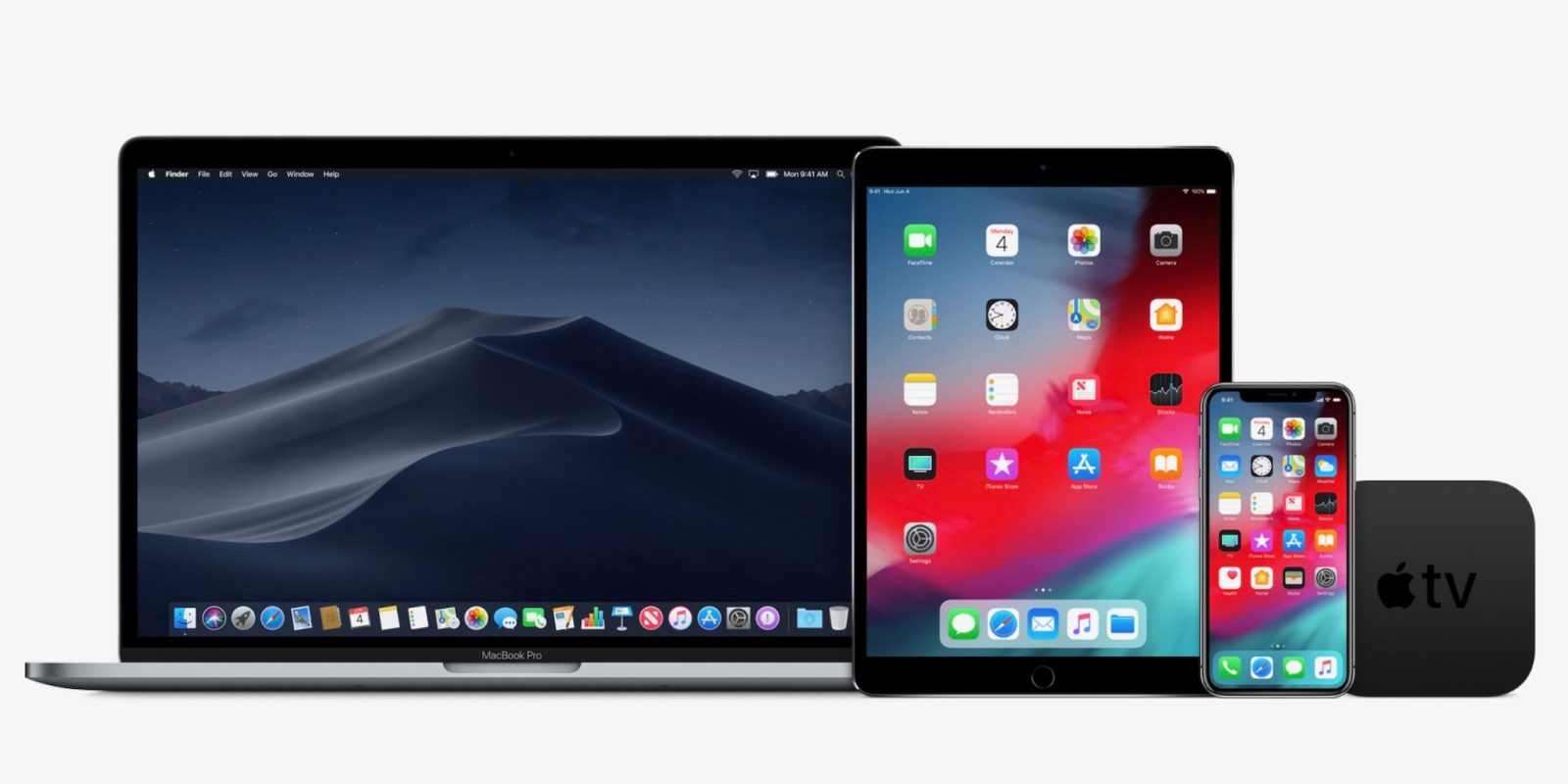
Apple has released the third iOS 12 public beta for iPhone and iPad. The new version follows iOS 12 developer beta 4 which was also just released. The new version includes Activity app stickers in Messages, Memoji customization, and much more. In addition macOS Mojave public beta 3 and tvOS 12 public beta 3 is also available today.

The latest beta version includes cellular data for apps organized by usage, interface tweaks in Wallet, and Photos.

Apple’s public beta program allows users who are not registered developers to test pre release versions of iOS, tvOS, and macOS with new features for free. Enroll in the iOS 12,
macOS Mojave, tvOS 12 public beta by follow the source links below.


Tuesday, July 3, 2018

iOS 12 Developer Beta 3, Now Available


Image result for apple ios 12 beta
iOS Developer Beta 12 includes several significant changes for iPhone and iPad including performance improvements, especially on older devices 


ARKit 2.0 with shared experiences, refined search and sharing in Photos, more Siri access in third party apps and Siri Shortcuts based on Workflow, updates to Stocks, Voice Memos, Apple Books, and Apple News, management features including updates to Do Not Disturb, more manageable notifications, and Screen Time parental controls, Memoji in Messages, and FaceTime up to 32 users.

Other notable changes in iOS Developer Beta 3 includes:

  • Clear All Notifications now has a springy animation
  • Can now swipe to clear alerts in one swipe (like iOS 11)
  • Apple Watch Face Gallery now only highlights new Siri watch face updates (previously showed watchOS 4 faces)
  • Voice Memos for iPad redesigned
  • FaceTime effect picker tweaked
  • CarPlay appears to be fixed when using side and backup cameras
  • Watch app now shows third party apps that work with Siri watch face
  • 11 Activity app stickers that animate and do not require Special Challenge to unlock

To download Apple's iOS 12 public beta hit the source link here.

Wednesday, June 6, 2018

Android P Developer Preview Beta 2, Now Available For Google's Pixel Handsets


Image result for android p developer preview

Android P Developer Preview Beta 2 has been released by Google. Android P Developer Preview Beta 2 devices include the Google Pixel, Google Pixel XL, Google Pixel 2 and Google Pixel 2 XL. To receive the update OTA you need to enroll your Pixel in the Android Beta Program by following the source link OTA/flash. You can also flash the factory image if your Pixel has an unlocked bootloader. 

Android P Developer Preview Beta 2 includes the final Android P APIs and an updated SDK. While Pixel owners can install the update keep in mind that it really is aimed at developers only, and could be buggy. 

If you're interested in loading Android P Developer Preview Beta 2 on your Pixel device via an OTA update or flashing it using a factory image, click on the source links.

One major change includes the "clear all" button once you swipe to the left while in the app switcher. The update also includes the June 5, 2018 Android security patch.

If you don't have a Pixel, keep checking in. Google could soon release the Android P developer preview beta 2 to non-Pixel devices such as the OnePlus 6, Essential Phone, Xiaomi Mi Mix 2S, Sony Xperia XZ2, Nokia 7 Plus, Oppo R15 Pro, Vivo X21 and the Vivo X21 UD.


Source: Android Developer blogGoogle Android Beta Program

Thursday, May 10, 2018

Android P Beta Now Available

How to download the Android P Beta, available now on 11 devices

Google's Android P Beta is now available, including new features now available in the first developer preview. The Android P beta is available at the source links below.

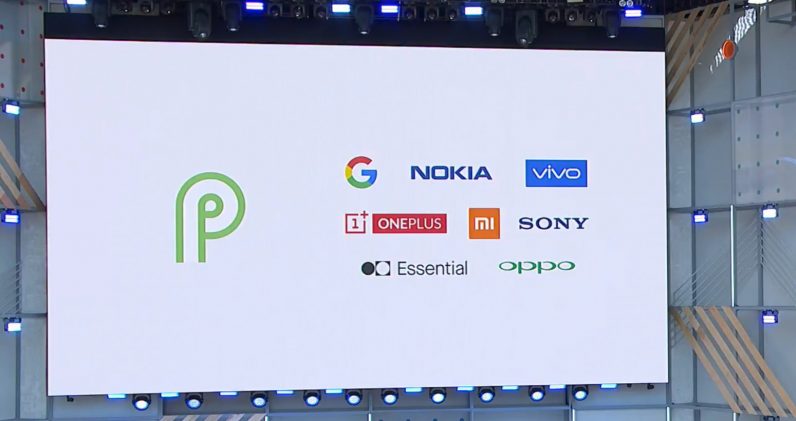
In the past Google has typically only launches its latest operating system previews on its own Pixel line of device, but this time around Essential, Sony, Nokia, Xiaomi, Oppo, Vivo, and OnePlus have joined the party…

OEMs are handling their own Android P beta updates, Android P is coming to a huge list of phones. That includes:

Sony Xperia XZ2
Essential Phone
Nokia 7 Plus
Xiaomi Mi Mix 2S
Oppo R15 Pro
Vivo X21
OnePlus 6


Source: Android P Beta Devices, OnePlus

Wednesday, February 21, 2018

Essential Lets Essential PH-1 Owners Join Android Oreo 8.1 Beta Via OTA

Image result for new essential ph-1 colors

Essential is currently offering a beta release of Android 8.1 Oreo. If you've got an Essential Phone and you'd like to try the beta, hit the Essential's developer site link below, select the over the air option near the bottom of the page, and fill out the short form with info like your name, email address, and device serial number. The beta will then be automatically pushed to your device within 72 hrs.


Source: Essential Developer Site


Wednesday, February 14, 2018

Essential Phone Gets Android 8.1 Oreo Beta


Image result for essential ph-1

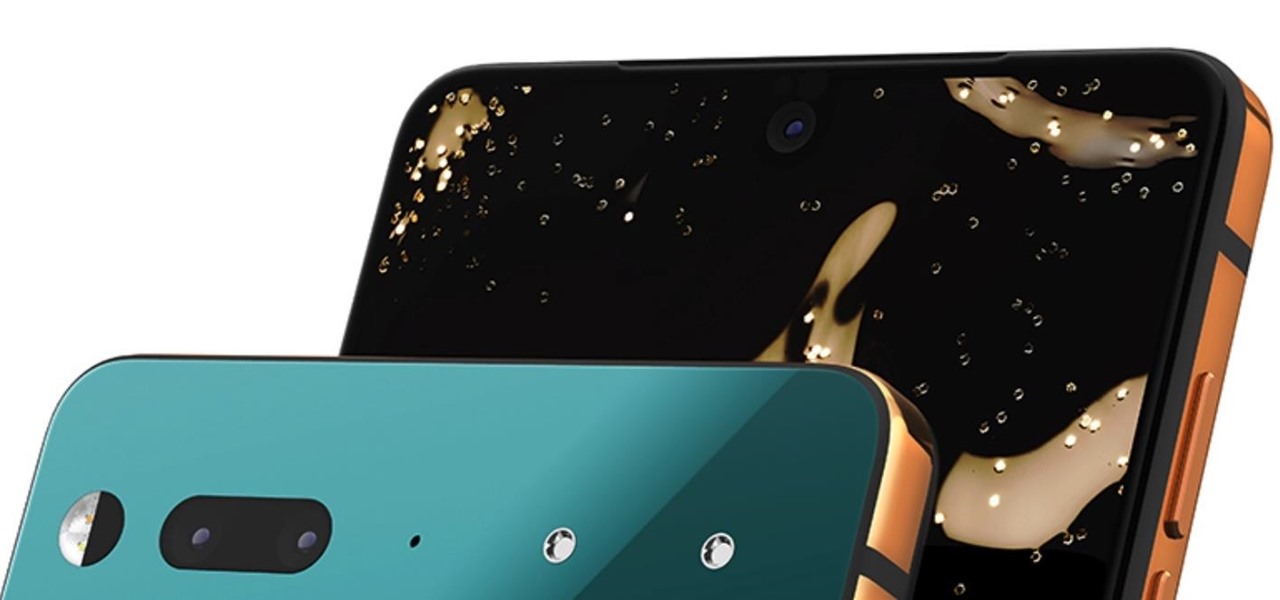
Essential has released the long awaited Android 8.1 Oreo in the form of a beta. Previous beta testers for Android 8.0 Oreo will get an over the air update to Android 8.1 Oreo, if you're not currently enrolled as a beta tester Essential has add a link to side-load the new software on its website linked below.

What's new with Android 8.1 Oreo on the Essential Phone? Essential has add dynamic icons for the calendar and clock apps, and the most important fix of all is said to squash the "slow scrolling jitter fix."

Essential also says that the Android 8.1 Oreo update comes with Google's latest February security patch, making it the first company other than Google itself to push the security patch to its devices.


Source: Essential

Wednesday, January 17, 2018

Essential PH-1 Oreo Beta 3, Now Available For Download And OTA


Related image


The third Essential PH-1 Android Oreo 8.0 beta build arrives as version OPM1.170911.254 and weighs in at 1 GB if you download from Essential’s website. If you’re already running Essential's Android 8.0 beta 2, you will receive an OTA that weighs approximately 106 MB.
The new beta 3 build brings Google’s January security patch that includes fixes for the Spectre and Meltdown exploits, as well as miscellaneous stability and bug fixes. In Wednesday’s Reddit AMA, Essential said "it’s working to finalize logistics of the Oreo public release, and that its development and Q.A. teams are working hard to get the release to meet the company’s quality and performance standards."


Source: Essential


Tuesday, November 28, 2017

How To Enable Google's Pixel 2 And Pixel 2 XL Visual Core HDR+ Feature On Android 8.1 Beta

Image result for pixel 2 xl

How to enable the Pixel Visual Core’s HDR+ feature.

Go to the Settings menu.

Scroll down and select System.

Tap on Developer options.

Make sure the Developer options is toggled on and scroll down until you find the Debugging subheading.

At the bottom of this section, locate Camera HAL HDR+ and toggle it on.

A pop-up will appear letting you know that you must now restart your smartphone before the Pixel Visual Core can begin working.


With the Camera HAL HDR+ option turned on when you take a picture, the custom chip will start handling the HDR+ image processing.

Thursday, May 4, 2017

Android Public Beta Program For Android O, Coming Soon!


Google’s beta program has allowed Nexus and Pixel users to test upcoming features and Android Beta Preview builds before anyone else. 

According to the Google developer's page Developer Preview build 2 is set for the middle of May which is listed as a beta, not alpha likely indicating the first Android O public beta preview.

If you want to be the know about the upcoming release of the Android O beta program be sure to visit our website for updates, check out Google's official Android Beta Google+ Community Page, or visit Google's Beta Program website directly by hitting the source links below. 


Source: Google+ Android Beta Program, Android Beta Program

Friday, August 5, 2016

Apple Music For Android Exits Beta


Apple updated its Music app for Android devices. The 1.0 app adds a single feature in its full release and an graphic equalizer tool for adjusting sound levels. 

Apple says the app also received a variety of performance, playback, and stability improvements. Apple Music for Android allows people to create personalized stations, as well as listen to tracks on demand. 

Apple Music for Android includes Beats1 Radio, and supports local caching for offline playback. The app itself is free to download from the Google Play Store, however the service costs $10 per month for users.

Source: Google Play Store

Sunday, May 8, 2016

Android N Developer Preview Available For Non Nexus Devices


Android users have come to expect Developer Previews are pretty much exclusive to Nexus devices. According to embedded HTML code found on the Android N Preview page that might be changing soon. 

According to Reddit user FUNExtreme who made the discovery, the snippet below can be spotted in it, below the “What’s New” heading, is the suggestion that the Android N Developer Preview might be coming to “more supported devices, including devices from OEM partners”.


Source: Reddit

Nokia Lumia Icon Now Supports Insider Preview Builds Of Windows 10 Mobile


Microsoft’s Gabriel Aul announced recently that the company will be bringing support for Windows 10 Mobile Insider Preview builds to the Nokia Lumia Icon. If you own a Nokia Lumia Icon, you will be glad to know that you can now try out Windows 10 Mobile Insider Preview on your device using the Windows Insider app (link below). You will only be able to get builds from the development branch which means you will need to install the Redstone builds and can not install the Threshold 2 builds which are slightly more stable compared to the Redstone builds.

To get Windows 10 Mobile on your Lumia Icon, simply sign up for the Windows Insider program (link below), download the Windows Insider app (link below) on your Nokia Lumia Icon, enroll into the Insider Fast or Slow Ring, after your phone reboots check for updates to download Windows 10 Mobile.

Be sure to let us know what you think of Windows 10 Mobile Insider Preview build by leaving your comments below in the comment section. 


Source: Windows Insider Program, Windows Insider app

Wednesday, February 10, 2016

Apple Releases iOS 9.3 Public Beta 3


Apple has released the third iOS 9.3 public beta to non developer testers today. iOS 9.3 public beta 3 adds new features for iPhones and iPads including Night Shift mode to change the display temperature for evening reading, Touch ID/secure passwords to protect Notes, new 3D Touch shortcuts on the iPhone 6s and 6s Plus, enhancements to the Health and Activity apps, and iCloud for iBooks PDF syncing.


Changes in iOS 9.3 beta 3 included:

  • Verizon Wi-Fi Calling
  • Fixed Control Center icons in landscape
  • Apple News settings in Sweden, possibly other countries (although no app)
  • Tweaked Night Shift explainer in Control Center
  • Tweaked Lock/Unlock toggle in Notes outside of the share sheet

How to register and install iOS 9.3 beta profile...

Source: Apple

Wednesday, November 11, 2015

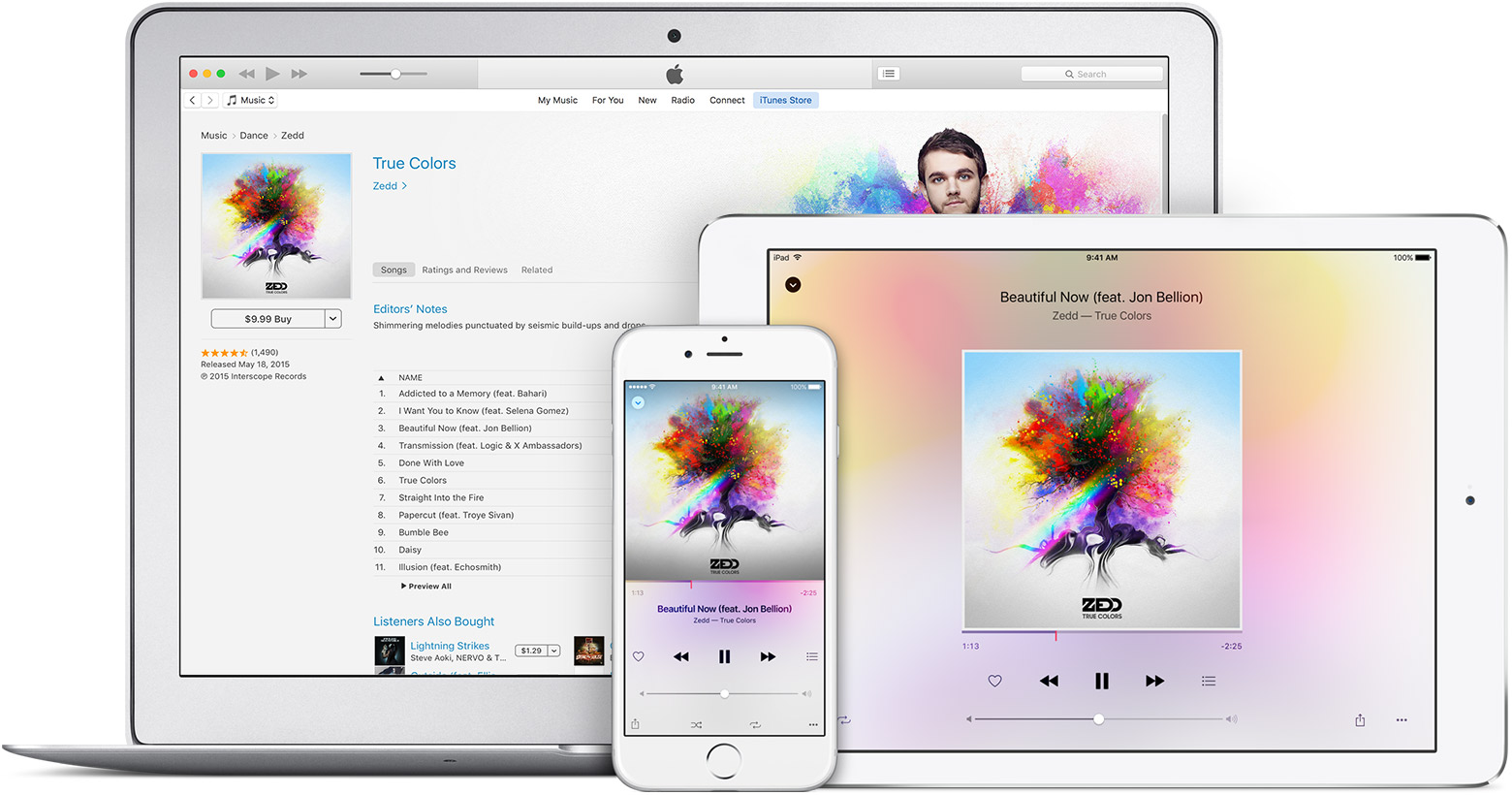
Apple Music For Android Hits Google Play

Android users can now begin their three-month trial of Apple Music, though Apple says the beta does come with some restrictions. Music videos are not yet available, and the sign-up process hasn't been optimized for Android purchasing or upgrading to a family membership will require a Mac or iOS device.

Just like those on iOS, tvOS, and Mac Apple Music users on Android can access playlists, Beats 1 radio, Connect, and iTunes purchases.
Apple appears to have adapted the application's user interface slightly to conform to Android interaction paradigms, but doesn't seem to have adopted Google's material design. 
Apple Music requires Android 4.3 or above. Users can download Apple Music beta for free from the Google Play source link below.
Source: Google Play

Thursday, August 27, 2015

Samsung Opens Beta Testing For Samsung Pay


Samsung is allowing a select number of people to beta test Samsung Pay in the U.S. In order to trial the mobile payment platform consumers need to have a Galaxy S6, S6 Edge, S6 Edge+, or Note 5. 

AT&T, T-Mobile, Sprint, and U.S. Cellular are supporting Samsung Pay at launch. The beta requires users to have an active Samsung account and a MasterCard or Visa credit/debit card from Bank of America, Merrill Lynch, U.S. Trust, or U.S. Bank. 

Samsung Pay uses both NFC and MST for tap to pay transactions. Consumers can request an invite to test Samsung Pay from Samsung.com by following the source link below.


Source: Samsung

Tuesday, August 4, 2015

OS X El Capitan Public Beta 4 Now Available

Apple has released a new version of the OS X El Capitan Public Beta. Members of the Apple Beta Software Program can download the new OS X El Capitan release through the Updates section on the Mac App Store.
If you're interested in participating, you'll have to sign up at the Apple Beta Software Program website to get started.
If you're interested in the OS X El Capitan public beta, hit up the link below for more details on how to sign up for Apple Beta Software Program.