Showing posts with label apk. Show all posts

Tuesday, January 2, 2018

Google Pixel 2 and Pixel 2 XL's Portrait Mode Has Been Ported To Non-Google Devices Running Oreo (APK Download)


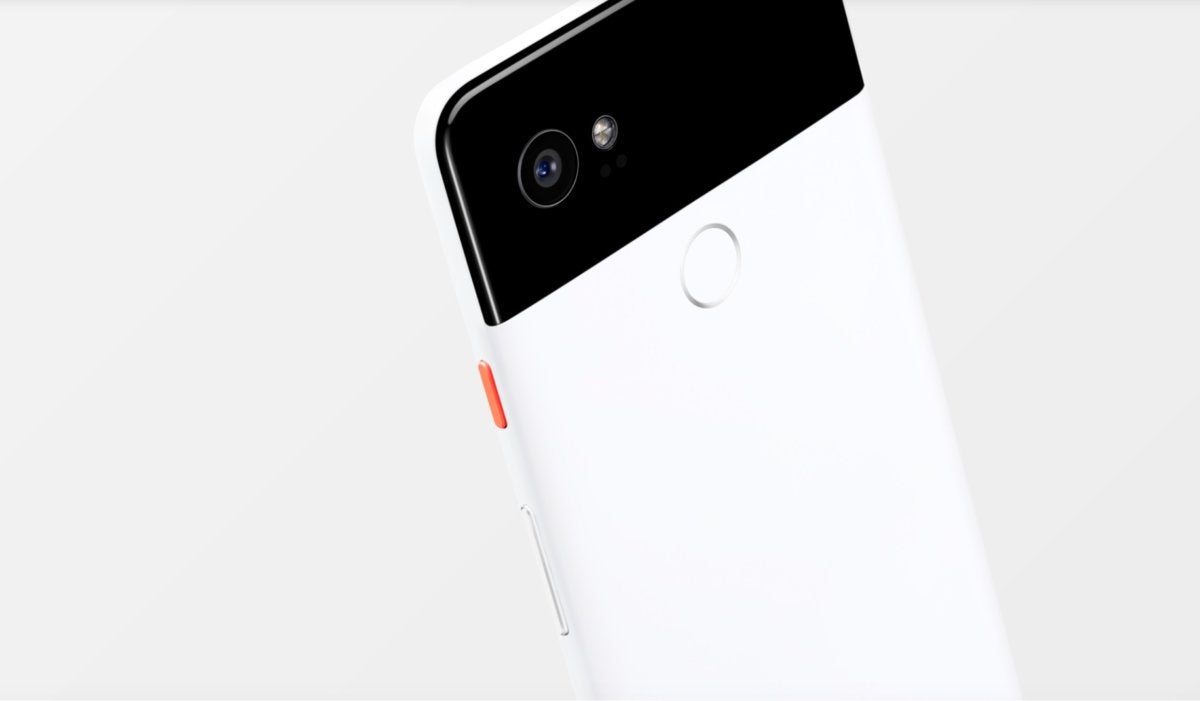
Image result for google pixel 2 xl


Google Camera modder Charles Chow has created a modded Google Camera APK with portrait mode on board for the first-generation Google Pixel and Google Pixel XL, the Google Nexus 6P, and Google Nexus 5X. Chow is well-known in the Android community for porting newer features to older phones. 

Charles Chow's explanation of Camera NX is more complicated than he lets on, but to the end user portrait mode simply replaces the lens blur mode. Taking a photo in this mode will produce two images: one HDR+ photo with zero shutter lag, and one with the portrait effect applied.

To get this feature on your Google Pixel, Google Pixel XL, Google Nexus 6P, or Google Nexus 5X, simply download Camera NX v7.3 via the source link below. Charles Chow's version of Camera NX is based off of Google Camera 5.1.016, which is the most recent Google Camera v5.1.018.


Source: APK 

Friday, October 13, 2017

Google’s Pixel 2 Camera App Gets Ported To Original Google Pixel And Google Pixel XL


Image result for google pixel 2 camera apk


The new Google Camera app delivers a handful of interface changes as well as a Motion Photos and Face Retouching.

It’s said that the more advanced features like AR Stickers, Motion Photos, and Face Retouching may not work properly and Portrait Mode is not operable on account of requiring a dual camera sensor. However availability seems to be dependent on your device and APK version installed.

If you'd like to try this for yourself, you can head to the Google Camera source link below and download the APK.


Source: Google Camera

Google Pixel 2 Launcher With Google Now APK Download


Image result for pixel 2 launcher

We got our hands on the APK file for the updated Pixel Launcher that will ship on the Google Pixel 2 and Google Pixel 2 XL with its bottom Google Search bar and At A Glance widget.

If you install the updated launcher on your device you'll get those changes. Bottom Google Search bar, top At A Glance widget, and new animations. The Google Search bar stays on all the screens but the At A Glance widget will only show on the first screen. The At A Glance widget will display the weather only if you have location turned on.

If you want to try the new Pixel Launcher on your device regardless whether it's a Google Pixel, Google Nexus, or other OEM made phone you can grab the APK file below at the source link. Remember you'll need to install it as a system app on non Google Pixel or Nexus devices to get the Google Now feed on the left screen.


Source: Pixel Launcher

Sunday, February 9, 2014

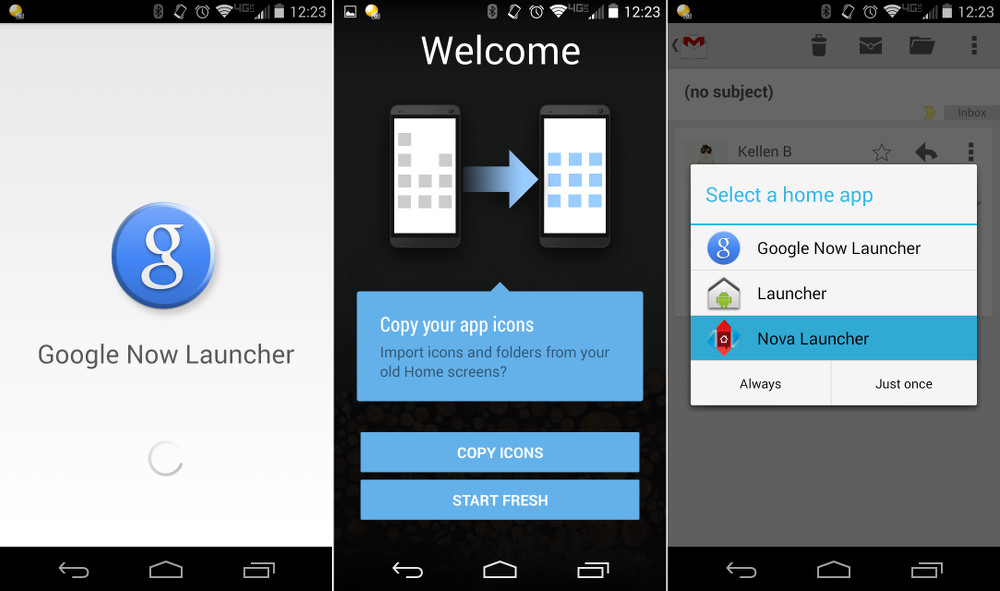
Install Google Now Launcher On Any Android Device


You can download and install the Google Now launcher on your non Nexus 5 handset, download the latest updated version of GoogleSearch APK (link below). Once done, download the Nexus 5′s GoogleHome APK (link below). The only settings change you will need to make is the one that allows you to install non Google Play apps on your phone (menu, settings, security, and check the box in front of "Unknown Sources").

With the GoogleSearch APK and the GoogleHome APK running on your phone, you can select the Google Now launcher by pressing your phone's home button. This launcher has been designed for the Nexus 5 only, those who have tested it out say that it runs smoothly on other Android devices flawlessly. If you have the Google Now launcher running smoothly on your Android device, let us know by passing along the information in the comment box.


Source: GoogleSearch APK, GoogleHome APK

Sunday, February 2, 2014

Pebble Appstore To Debut Monday February 3rd

PebbleAppStore

+Pebble  will launch its appstore on Monday February 3rd, the smartwatch company has announced. The download store, will go live at 10AM PT and give Pebble's growing developer community a centralized place to offer their apps and their custom watchfaces.

Third party software for Pebble has taken off since the +Kickstarter success released its SDK last year, until now distribution has been less organized. Developers have offered direct downloads but there has been a specific way to browse and install apps from Pebble itself.

The Pebble appstore will be available for both Pebble Steel and original Pebble owners, though the company will be launching the iOS version first. The Android version will come "very, very soon" Pebble spokesperson Myriam Joire has said and developers will have an APK available on Monday so that they can get up to speed.

Thursday, May 10, 2012

Flipboard For Android Unofficially Released, Download It Here


At the launch of the Samsung Galaxy S III, one unexpected inclusion was the Flipboard app — supposedly exclusive to the handset for the first few months. However, despite the fact that the Galaxy S III hasn't even been released yet, the Flipboard APK has been posted to the xda-developers forums, allowing any handset to grab the social newsreader. We grabbed the app and loaded it onto an HTC One X, where it runs totally smoothly, and it's worth noting that xda's forum members say it runs just as well on older handsets like the original Galaxy S.
Setting up the app is as simple as picking the topics you're interested in, with Flipboard suggesting common categories, then swiping through the headlines (with large, eye-catching images) until you find something you want to read. From there, tapping through to the story lets you swipe through the pages in the same way. One promised component of the app that hasn't made it to the leaked APK is the widget view, suggesting that this might be an early build, but it's stable enough for everyday use.

Wednesday, January 4, 2012

Kindle Fire Silk Browser Ported To Work On Other Android Devices


The Kindle Fire entered the fast-flooding and highly competitive tablet space last year like a breath of fresh air, and has settled down admirably in its own niche, holding out extremely well against the likes of the Ipad 2, the much touted Motorola Xoom, the Samsung Galaxy Tab/s & the Asus Transformer, despite running Gingerbread, which was considered a step behind at the time. With its $199 price, and the features it offered, it was always a great device for those who wanted a tablet only for the things that a tablet could do really well, and the Kindle Fire has proved that it was a worthy choice.

Apart from the price, one of the notable features that has gathered interest around this nifty device, is the in-built web browser that it comes with, called Silk. Silk has a different approach towards loading web pages, basically meaning that pages that you regularly visit tend to load faster, by accessing information from Amazon’s massive cloud-based servers, effectively providing a more fluid experience to the user.

After a lot of testing and research, XDA member TyHi has finally managed to create a working port of Silk, which can be used on other Android devices; phones or tablets likewise.

You can download the pack from here.

You can follow the development thread here, and read comments by people who have tried this out. For most people, it seems to work fine. I, for sure, am going to try this out first thing tomorrow.
Below are the installation steps quoted from the developer’s thread (link above):


  1. Download the pack Here
  2. Use Root Explorer to copy the lib files to /system/lib set permissions the same as the others.
  3. Install all of the .apks like you would side load.
  4. Copy the silk apk from /data/app to /system/app
  5. Reboot and enjoy