Showing posts with label Google Drive. Show all posts

Wednesday, May 16, 2018

Google Introduces Google One, Google Drive Replacement


google one google drive

Google announces Google One, a new paid storage service that will replace paid Google Drive storage plan. With Google One, Google will introduce new features as well as new pricing options.

Google One plans will start at 100GB for $1.99, 200GB plan for $2.99. The current 1TB plan for $9.99 will be doubled to 2TB. Plans larger than 2TB won’t change.

Google says that Drive storage will switch to One storage automatically “over the coming months.” This is said to not affect G Suite customers. However new customers will be able to join Google One “later this year.”


Source: Google blog

Saturday, January 17, 2015

AllCast Now Available For iOS Devices


AllCast recently brought its media-sharing app to the iTunes App Store. AllCast lets iOS device owners cast content from their camera roll, Google Drive (Google+, Picasa), or DropBox on their iPhone or iPad to an AppleTV, Chromecast, FireTV, Roku, or Xbox. AllCast also supports music casting, though the files must be stored locally on the iPhone or iPad. AllCast duplicates some of the features of Apple's own AirPlay. 

AllCast is free to download from the iTunes App Store. AllCast is already available to Android devices.

Click the respective links to download AllCast for Android and iOS. Drop us a line in the comments, let us know what you think.

Sunday, February 2, 2014

Microsoft Courting Google's Sundar Pichai As Next CEO


+Sundar Pichai is Google’s senior vice president of +Chrome , Apps, and Android. When it comes to desktop and mobile software Pichai ha really shown what he can do. Sundar also played a role in the development of +Google Drive, +Gmail, and +Google Maps.

In the past few years, Sundar has done some really amazing things for Google, not to mention Android. We’d be very surprising if Sundar  decided to part ways with Google, however this isn’t the first time we’ve head rumors of Sundar calling it quits at Google. When Pichai was offered an exec position at +Twitter, rumor is Google paid him $50 million to stick around.

Stay posted for more information as details surface. Drop us your comments below, what is your take on a possible Sundar departure from Google?

Thursday, September 19, 2013

Quickoffice For Android And iOS Available For Free


Google has announced, starting today we’re making Quickoffice for Android and iOS available for free, for everyone. With Quickoffice, you can edit Microsoft® Office documents across your devices, giving you the freedom to work with anyone no matter what hardware or software they’re using.  Plus, it’s integrated with Google Drive storage so you can safely access your files from anywhere. Also, if you sign in to your Google Account from the new Quickoffice app for Android or iOS by September 26, 2013, you'll get an extra 10GB of Google Drive storage for two years, which will be added to your account in the next few weeks.


Download Quickoffice for Android: http://goo.gl/Y5TQxz 
Download Quickoffice for iPhone and iPad: http://goo.gl/m21Uhp 

Wednesday, May 22, 2013

Google Drive Android App Updated With ‘Scan’ For Storing Physical Documents

Google-Drivecollage2-white

Google announced on its Google Drive blog today that it is rolling out an updated Google Drive app for Android that includes a couple notable new features.

The app’s UI has been overhauled and now displays your Drive files in a familiar grid style view:
You can swipe between files to see large previews that let you quickly review and discover the information you’re looking for. And if you want to keep some Drive files on your Android device, you’ll now be able to “download a copy” from the actions menu inside settings.


Another big update included in the latest version of Drive for Android is the ability to ‘scan’ and store physical documents as PDFs. The new scan option will allow users to snap photos of documents and save them within Drive as a PDF. Thanks to Optical Character Recognition, you’ll also be able to search for the scanned docs using keywords.

The update includes a number of other improvements as well including the ability to download a copy of your files in Drive your device’s local storage, improvements to editing features in Google Sheets, and much more:


What’s in this version:

  • New grid view makes it easier to find your files
  • New quick preview lets you view photos and other files from within the app
  • Scan documents, receipts and letters for safe keeping in Drive; then search by contents once uploaded
  • Download a copy of files to your local device (Honeycomb+)
  • Spreadsheet editor now supports changing fonts, colors and cell alignment
  • View properties of files from within the editors
  • Bug fixes and visual improvements

Google Play Store download link


Monday, May 13, 2013

Google Bringing It All Together With 15GB Of Shared Storage


Shared storage copy
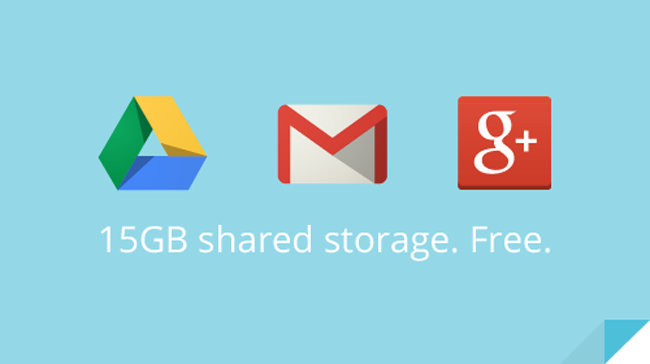
Today, Google announced that they are taking all that storage space and making them all into a tight little package for everyone. All Google users now have a free 15GB of storage space across the three applications and Google Apps users will receive 30GB of space. 
Life gets a bit easier when your Google products work well together whether that’s inserting a Drive file into an email or sharing a photo from Drive on Google+. As this experience becomes more seamless, separate storage doesn’t make as much sense anymore. So instead of having 10 GB for Gmail and another 5 GB for Drive and Google+ Photos, you’ll now get 15 GB of unified storage for free to use as you like between Drive, Gmail, and Google+ Photos.
With this new combined storage space, you won’t have to worry about how much you’re storing and where. For example, maybe you’re a heavy Gmail user but light on photos, or perhaps you were bumping up against your Drive storage limit but were only using 2 GB in Gmail. Now it doesn’t matter, because you can use your storage the way you want.
We’ll also be making updates to the Google Drive storage page, so you can better understand how you’re using storage space. Simply hover over the pie chart to see a breakdown of your storage use across Drive, Gmail, and Google+ Photos. And if you need more storage, this is your place to upgrade, with plans starting at $4.99/month for 100 GB.

Tip: This change means you’re no longer limited to a 25 GB upgrade in Gmail any additional storage you purchase now applies there, too.

These changes to Google Drive storage will roll out over the next couple of weeks. Google Apps users will also be getting shared storage, so visit the enterprise blog to learn more. 


Sunday, April 14, 2013

Google Keep Update Enables Google Drive Sync


There is an update available for Google Keep that brings about several new features for users of Google’s fledgling note taking service. Some of the most notable additions to the app include the ability to sync Keep with Google Drive, as well as the ability to jot down quick notes directly from homescreen and lockscreen widgets. Here is the full list of changes:


  • Create notes, lists, and audio notes
  • Add photos to any note
  • Hide and show checkboxes to turn notes into checkable lists
  • View and create notes from homescreen and lockscreen widgets (lockscreen widgets require Android 4.2+)
  • Selectable color for notes
  • Safely sync notes to Google Drive and other devices
  • Notes can also be used from http://drive.google.com/keep
  • As you can see, Keep is still very much a work in progress, but it’s growing to a contender in a field dominated by Evernote and others. It still doesn’t match that service blow-for-blow, but for those tied into the Google ecosystem it’s getting easier to consider the switch.


Wednesday, March 20, 2013

Google Keep Gets Official, Save What’s On Your Mind


Google Keep
Google has unveiled Google Keep, a tool that allows users to create notes and lists that are synced across all their devices. The service can transcribe voice memos automatically to create notes that are organized with multiple colors or even pictures. Google Keep is available now through the Web and for Android devices running Android 4.0 or higher. 
Google Keep is available on Google Play for devices running Android 4.0, Ice Cream Sandwich and above. You can access, edit and create new notes on the web at http://drive.google.com/keep and in the coming weeks you'll be able to do the same directly from Google Drive.
A video demonstration of Google Keep follows below.


Source: Google Blog

Monday, March 18, 2013

Google Keep Note Taking App Spotted


Google, as a service provider, tries to cover all aspects of an online life a person could have, providing all the services. If you think of it, the company has the best known search engine and the best known email service. There is also a very good social networking site, a very good operating system for computers and a very popular operating system for mobile device, a very powerful, secure, and stable internet browser, cloud apps, cloud services for business, solutions for almost every kind of need a business could have. When such is the situation, it will be hard at work to try its luck with other popular online services.

With the success of Evernote, it is pretty obvious that people are very serious about taking digital notes on their computers or mobile devices, and they are doing this very much using Evernote. So it is only very evident that Google would want to try this service as well, after its Notebook service failed. The service we are talking about is Google Keep.

If you have heard of this before, you are not alone. This is because we have heard the name and seen the logo before. But according to a post on Android Police, the service was briefly up on http://drive.google.com/keep and that just means that we have to keep an eye on it. Also, the web publication features the above screenshot of the service which was submitted by a Google+ user.

Last year, the search engine giant accidentally leaked a screenshot on its Google Plus page which had a link labelled, “save to Google Keep.” Now, even though we do have anything like that, we have this official image to hold on to. And until the company makes any official announcement this is all we have.


Source: The Verge

Thursday, February 21, 2013

CloudOn Brings Microsoft Office To Your Android Tablet And Smartphone

CloudOn

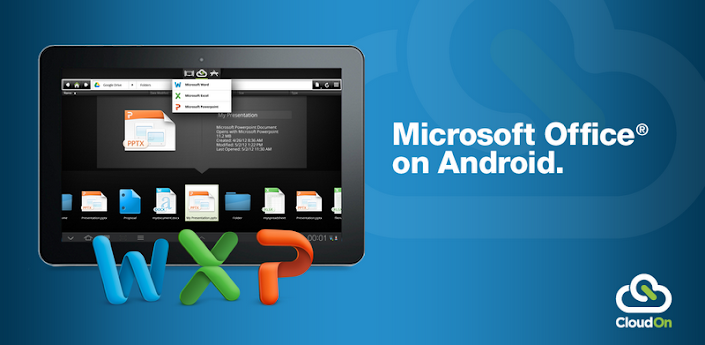
CloudOn brings Microsoft Office® to your Android Tablet and Phone and links it to your Box, Dropbox, Google Drive and SkyDrive accounts.

If that isn’t enough, the built-in Adobe Reader and File Viewer lets you open and view virtually any file type, including PDF, JPG, PNG, GIF, etc.
And, because we know your work isn’t always just for you, you can easily email files to your contacts directly from the workspace.
CloudOn provides you the files you want and the applications you need in a single workspace – made for the device you love.
The CloudOn Workspace allows you to:
• Use Microsoft Word®, Excel® and PowerPoint® on your Android Tablet and Phone to create, review and edit documents.
• Rename, delete and manage documents with your Dropbox, Box, Google Drive and SkyDrive accounts.
• View virtually any type of file, including: PDF, JPG, PNG, GIF, etc.
• Share files as links or attachments via email directly from the workspace.
• Display, edit or create charts, change formatting, spell check, insert comments, etc into any Word, Excel or PowerPoint files.
• Use the FileSpace to see a log of all the activity on file including edits, notifications and notes.
• Track changes while reviewing Word documents.
• Use pivot tables and insert formulas in Excel workbooks.
• Display and edit transitions in PowerPoint slides and present in full presentation mode.
• Open files directly from your device email accounts as well as Dropbox, Box, Google Drive and SkyDrive.
• Automatically save documents to avoid losing changes.


Thursday, July 26, 2012

Google Fiber + TV Goes Official

Google announces Fiber internet pre-registration, tossing in a free Nexus 7 to t

Google is launching along with Google Fiber in Kansas City. The hardware consists of a set of three small boxes two in a gray that is as nondescript as possible. That's not really a disappointment these are utility boxes, after all but it does mean you'll want to put these boxes in the corner instead of on your mantlepiece.

The TV box is slightly more distinctive, it's a thin angular black box that's bigger than an Apple TV, but is still much smaller than you average set top box. It's is not hurting for I/O either, with a USB port on the front, and around back there's HDMI Out (and, interestingly, In), optical audio out, component A/V, coaxial, and ethernet. Since it works with a bluetooth remote, you can hide this box as well. You'll need one for each TV you want to hook up, and only the first one will come with the service for free.


One other thing is free with Google Fiber + TV: a Nexus 7 Android tablet that can be used as a remote. The early version of the software we saw looks like a fairly standard set of television remote features, including a guide grid, multi-television control, streaming shows, and of course Google's favorite feature: search. The latter will allow you to set up "smart recordings" that will automatically save shows featuring, say, your favorite actor. Interestingly, in addition to the Nexus 7 tablet, the service will come with a very standard remote control. The goal, Google tells us, is to make TV more accessible to those who are used to a traditional remote. To that end, there isn't a QWERTY keyboard on the remote, but it does work via Bluetooth so you won't need line-of-sight to use it. There is a very large search button in the center of the remote, which brings up a standard on-screen grid for you to slowly peck through.

The TV software is not finalized either, but as of right now the initial release won't be integrated with Google Play for movies or TV. That's right: Google Fiber + TV isn't the same thing as Google TV and other than YouTube, it cannot access any of the Google Play content other Google ecosystem devices can: not music, movies, or TV. It also doesn't appear as though it is able to access the web directly. It can access what Google promises will be a very large library of video on demand content and should have access to content saved on your Google Drive. We're also a little concerned about the channel lineup, but perhaps Google will be able to score a few more content deals before going live. Those complaints aside, Google is pushing the state of the art for DVRs forward, allowing you to record up to eight shows at once and save a total of 500 hours of HD television. The interface we saw looked clean and easy to navigate, but we'll obviously need to spend time with the final version before we render a final verdict on it.

We walked away from our time with the still-in-beta suite of products with cautious (and slightly confused) optimism. It's mystifying as to why Google isn't even making a half-hearted attempt at presenting a unified ecosystem here, instead presenting the same kind of service you can already get from your local cable provider. The same kind of service, that is, except for the stupidly fast 1,000MBps connection that powers it. Even though you may need to make some compromises in order to get that kind of speed, they seem small by comparison.


Check-out the official Google Fiber website, and let us know what you think in the comment section below.


Friday, June 22, 2012

Google Said To Be Launching IaaS Cloud Services At Google I/O


Google
Sources at GigaOm state that Google will be releasing their own IaaS (infrastructure aa service) cloud solution next week at Google I/O. This move would extend their current cloud services, like app engine, cloud connect, and storage, and allow users to rent virtual servers from the folks in Mountain View, bringing them in close competition with cloud giant Amazon.
In this scenario, two things come right to the front of our minds ChromeOS and Google Docs (Drive). Both services could be great front-ends for a cloud infrastructure that's set up by the user, especially in the enterprise. Imagine a corporate portal that you connect to as soon as you fire up your Chromebook, and your own IT department manages it all. Then imagine you can also connect with your Android phone. This could be a really big deal™.

Tuesday, April 24, 2012

Google Drive And Android App Go Live


Google Drive is no longer a secret, as the Google Drive Android app is now live in the Play Store and the description gives us a great idea of what to expect.
As expected, Google Drive will be a Dropbox and Box competitor, as you’ll get some free cloud storage space to store your files. The official announcement went live a few seconds ago and it offers 5 GB of storage for free. You can also buy additional storage for a fee and this includes 100 GB for $4.99 a month, dramatically cheaper than the competition.
The app’s description also gives us some solid details. This is an evolution of Google Docs, so you can collaborate on the files in your Google Drive account. You can also open up multiple file types (including video) in a browser. Naturally, you’ll also have strong search capabilities including the ability to search through scanned documents with OCR technology.

Keep everything. Share anything.

*** Google Docs is now a part of Google Drive! ***
* Keep everything. Share anything.
* With Google Drive, you can store all your files in one place, so you can access them from anywhere and share them with others
* Use the Google Drive Android app to access your photos, documents, videos and other files stored on your Google Drive
* Upload files to Google Drive directly from your Android device
* Share any file with your contacts
Access files others have shared with you on Google Drive
* Make any file available offline so you can access them even when you don’t have an Internet connection
* Create and edit Google documents with rich text formatting
* Edits to your Google documents appear to collaborators in seconds
* Make quick changes to spreadsheets
* View your PDFs, presentations and more
* Upload and convert files to the Google Docs format
Take a photo of printed text and convert it to a Google document
* Optimized experience to take advantage of larger screens for tablet users, Honeycomb (Android 3.0+)


The Google Drive service is live at drive.google.com and you can download the Android app here. Google also says that an iPhone and iPad version are coming soon.

Saturday, March 31, 2012

Google Drive Leak Now Suggests 5GB Of Free Storage


Rumors surrounding Google’s cloud storage service are ramping up as we move closer toward the product’s rumored release date. The service will apparently be called Google Drive and is similar to Dropbox, which allows users to store files on cloud servers and access them from computers and mobile devices. According to a leaked screenshot obtained by TalkAndroid, Google Drive will offer 5GB of free storage instead of the previously rumored 1GB. The image also reaffirms that files can be accessed through computers, mobile phones, tablets and via a web browser, and it will allow users to edit a document in one place that will automatically be updated in all locations. Google Drive is rumored to launch the week of April 16th.

Thursday, March 29, 2012

Google Drive To Be Released First Week Of April


After many false alarms, Google's cloud storage service has been coming for multiple years. The latest rumors came almost two months ago, when we found that a Dropbox-like service would be offered by the search giant. But today's unofficial news is a bit more exciting, as it states that "Google Drive," as it's being called, will be released "sometime during the first week of April."
This comes from GigaOM, a renowned tech news site, and they claim that the sources giving them this info are "well-placed and familiar with Google's plans."  As it goes with many new rumors, this one comes with a bit of extra details about the service.
The sources affirm that Google will be offering 1 GB of free storage, and charge for extra storage space. This comes as a surprise, since Google usually offers its services for free, or at least very affordable compared to the competition. But in this case, Dropbox would have the advantage by offering 2 GB for free. Not to mention Box's and Amazon Cloud Drive's free 5 GB.
None of this is set in stone just yet, as it is still a rumor. Prices for extra storage are still unknown, and that is where Google might have the advantage. Extra GBs could be more affordable than the competition, so it'll be interesting to see where they go with that.
In addition, it is mentioned that this service will launch for Google Apps customers, and will look much like Google Docs in regards to the interface. The search giant has also developed an API for developers to be able to make use of Google Drive.
The odds of this rumor coming to life are unknown, as they usually are. But we know Google must be getting ready for it, so we'll keep our eyes peeled. One of our readers even found a hidden "Add to my Drive" button within the Gmail coding.
This means that the service could be coming very soon. Maybe even early next month, as this rumor states. As always, take it with a healthy amount of salt until we get some more news. For now, the best idea is to stay tuned and hope to see this come to life soon, and with better offerings.

Recently found Updates

The guys from Talk Android have received a nice leaked image of what seems to be the PC client for Google Drive. The website's sources claim the same, but they state that the date of release has been changed to "the week of April 16th." But what makes this screen shot special is that it goes against GigaOM's claims that users will get 1 GB of free storage.
This image (along with the sources) confirms that users will get 2 GB of free storage, instead. This sounds much more enticing, but as mentioned above, it still does not beat the competition.